
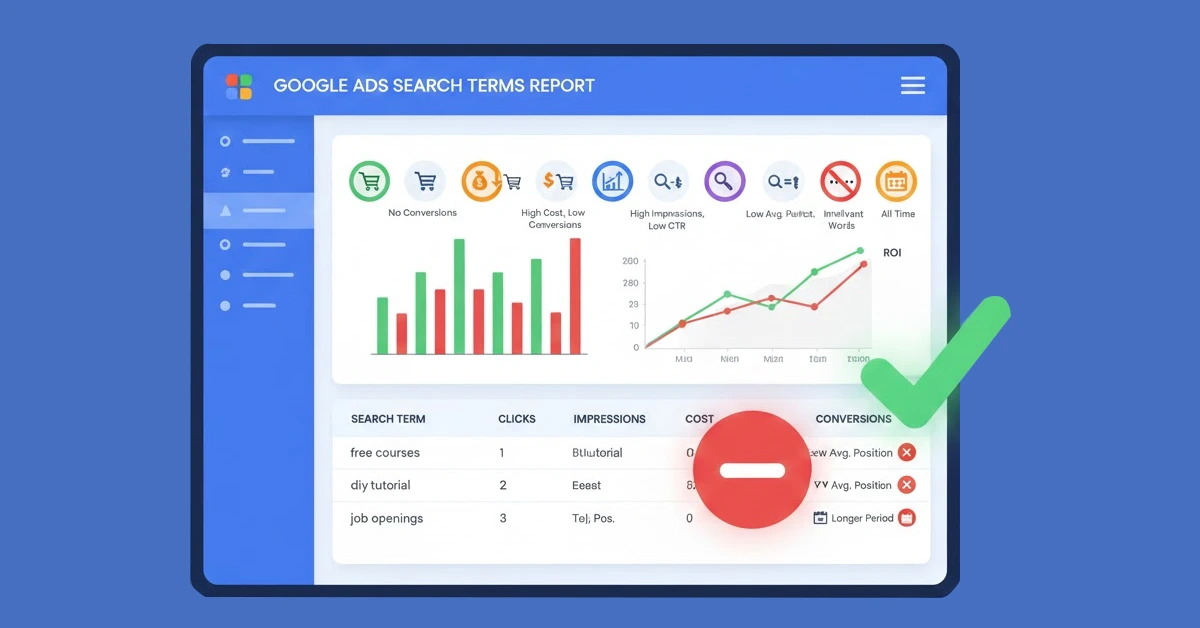
7 Google Ads Search Term Filters to Cut Wasted Spend
Running ads on Google can be a powerful way to reach your audience, but without a firm grip on your search terms, it’s also a fast way to burn through your budget. With Google’s automation expanding keyword matching more aggressively than ever, advertisers must be intentional about monitoring and refining their search terms.
Whether you’re managing large-scale campaigns or handling accounts for local businesses, using Google Ads search term filters can dramatically help you reduce wasted ad spend. It also opens the door to discovering better targeting opportunities while removing what isn’t serving your goals. In this article, we’ll walk through seven proven filters that can help you streamline your campaigns, apply a smarter negative keyword strategy for PPC, and optimize your Google Ads performance.
Top Google Ads Filters
1. Block Irrelevant One-Word Keywords
If you haven’t already filtered out single-word search terms, now’s the time. Set a filter to show search queries that do not contain a space, which helps surface all one-word queries. These are typically far too broad to convert effectively; words like “kids” or “therapy” provide little insight into the user’s true intent.
This kind of filter is especially helpful when dealing with commoditized products or high-level topics. Use this to filter irrelevant keywords in Google Ads campaigns and apply them as exact match negatives either at the campaign level or across multiple campaigns via a shared negative list. It’s a small step that can quickly reduce wasted ad spend on Google Ads.
2. Keeping Brand Terms Out of Non-Brand Campaigns
Mixing branded and non-branded traffic is a common mistake that muddies data and wastes resources. To prevent this, filter out any search terms that include your brand name or proprietary terms from your non-brand campaigns.
Using a search terms report in Google Ads, identify branded keywords and add them as exact match negatives in your non-brand campaigns. This is a core part of any strong negative keyword strategy in PPC, ensuring that brand queries are handled separately—where they can be better tracked, optimized, and budgeted for.
3. Sorting Statistically Significant Terms
Not all keywords are created equal, some get clicks but don’t drive meaningful results. Filtering for statistically significant terms helps you spot patterns backed by enough data to make informed decisions.
Try setting a filter for search terms with over 100 clicks and a ROAS (return on ad spend) greater than 2. Adjust thresholds based on your account’s volume. For low-volume accounts, you may need to broaden the time range.
This filter is a valuable way to spot both high-performing queries and underperformers. It’s one of the most effective PPC campaign optimization tips because it relies on real performance data, not guesses or hunches.
4. Find Opportunities for Organic Content
What about search terms that bring in lots of clicks but don’t convert? These can be perfect candidates for blog posts, video content, or FAQs.
Create a filter for high-click, low-conversion keywords, terms with decent CTR (click-through rate) but poor conversion performance. Rather than spending more to chase these visitors with ads, target them through SEO or social content.
This filter not only helps you optimize Google Ads performance, but also lets you recycle that data into your broader marketing strategy. It’s an excellent tactic to stretch the value of your Google Ads search term filters even further.
5. Cut Out Irrelevant Terms
Here’s where you can apply a broad-strokes filter to detect anything that doesn’t contain your core product or service keywords. For example, if you’re offering ABA therapy, any query that doesn’t include “aba” or “therapy” might be off-target.
Use a filter to show search terms that do not contain your key service terms. You’ll quickly identify mismatches, upper-funnel searches, or queries unrelated to your offer. Add these to your negative keyword strategy for PPC, improving your budget efficiency and filtering irrelevant keywords in Google Ads effectively.
6. Filter Location-Based Terms
If you operate in specific regions, location-based filters are essential. For instance, if you don’t offer services in “Dallas,” then you shouldn’t be paying for clicks coming from searches like “therapy in Dallas.”
Apply filters for location terms and exclude irrelevant geographies. This can also help refine ad copy by signaling where users are located and where you should or shouldn’t be spending. This simple technique will reduce wasted ad spend on Google Ads, especially for service-based or brick-and-mortar businesses.
7. Low CTR
The last filter is for underperforming keywords with high impressions but low CTR—usually under 1%. These suggest a mismatch between your ad copy and the user’s intent, or perhaps an issue with the keyword targeting itself.
Filter for high-impression, low-CTR search terms. Use this data to revise your ad copy or pause low-engagement keywords altogether. When used regularly, this tactic helps refine relevance and optimize Google Ads performance more precisely.
These are the kinds of granular insights you won’t get unless you actively engage with your search terms report in Google Ads and apply the right filters.
Tweak These Filters to Your Individual Accounts
No two accounts are the same, and that means these filters are only as useful as they are relevant. What works for a local law firm may not work for a national e-commerce brand. Use these tactics as a starting point, but always adapt them to fit your goals, budget, and data realities.
Partner with our Digital Marketing Agency
Ask Engage Coders to create a comprehensive and inclusive digital marketing plan that takes your business to new heights.
Contact Us
Remember, Google Ads search term filters aren’t just for cutting costs, they help you gain clarity, drive better results, and extend your reach more intentionally. When applied strategically, they reinforce a smart negative keyword strategy for PPC, highlight missed opportunities, and guide better PPC campaign optimization tips across the board.
Keep refining, keep filtering and most importantly, keep learning from your data.
Boost your business with smarter PPC campaigns. Let Engage Coders help you get more clicks, more leads, and better results.


![What Are Good Google Ads Benchmarks In 2025? [STUDY]](https://www.engagecoders.com/wp-content/uploads/2025/07/image1-5-450x350.png)