
Outrank Your Competitors With These Local SEO Tips For Your Landscaping Company
Local SEO can make or break your landscaping business in the USA. Most homeowners or business owners searching online want someone nearby to mow their lawn or install a patio – they literally type “landscaper near me” into Google. In fact, 78% of location-based mobile searches result in an offline purchase (Search Engine Land).
If your landscaping business in the USA isn’t showing up in local searches or on Google Maps, potential customers in your area will likely choose the first nearby landscaper they find instead.
As the top SEO Company for Landscaping in USA, we at Engage Coders help landscaping businesses in USA gain the visibility and dominance they deserve in search results. In this blog, our SEO experts for landscaping in USA have shared both essential tactics, like Google Business Profile optimization, citations, and on-page local targeting and advanced local SEO hacks to help your company lead local search.
You’ll learn actionable tips and free local SEO tools to boost visibility in your service area:
Local SEO Basics for USA Landscaping Companies
1. Optimize Your Google Business Profile (GBP)
Your Google Business Profile (formerly Google My Business) is the cornerstone of local SEO. Treat it like your digital storefront. Verify your listing and fill out every field accurately: business name, category (e.g. Landscaping Service), address, phone, website, business hours (including holiday hours), and a keyword-rich description.
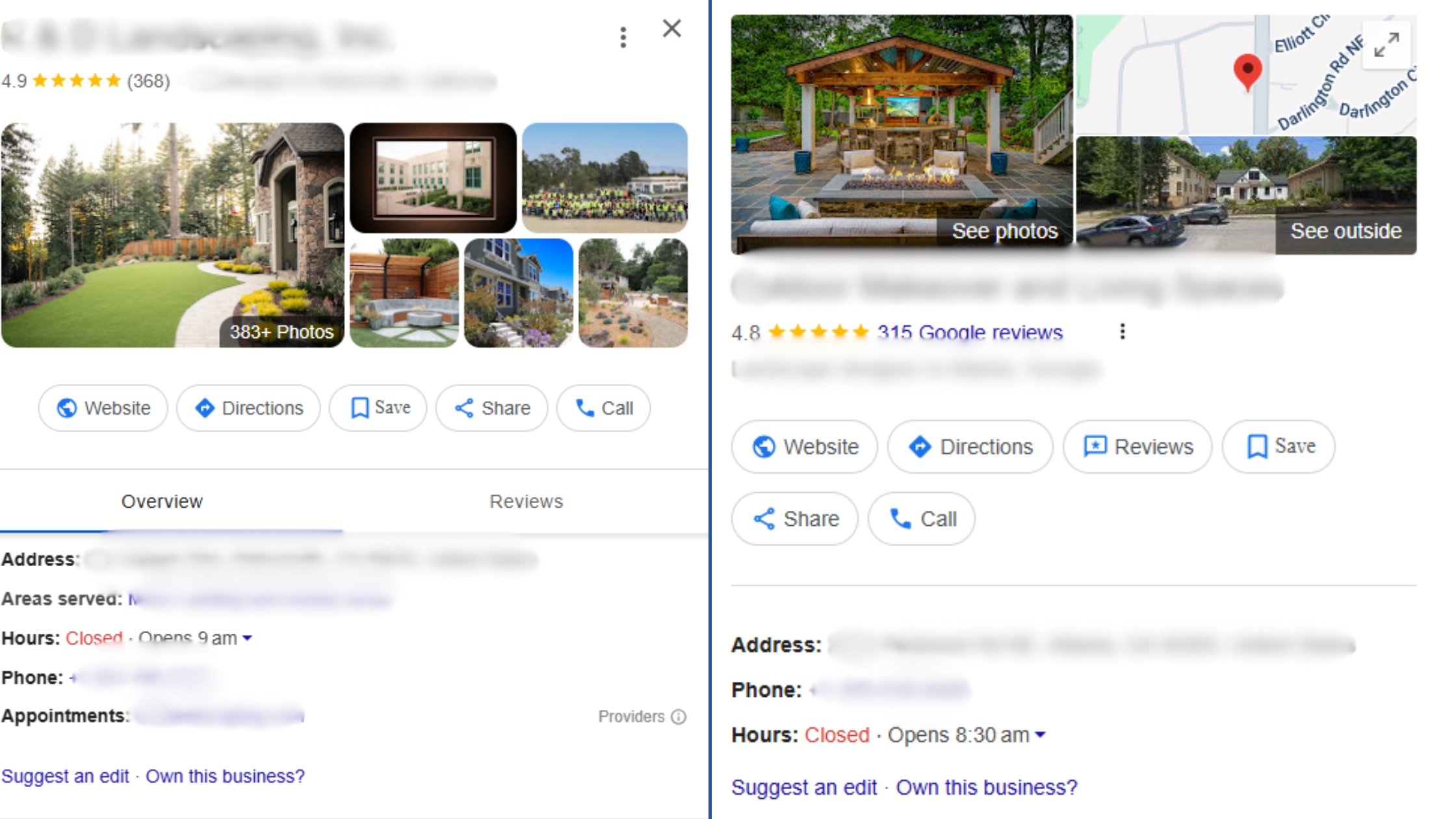
Categories: Pick the most relevant primary category (e.g., “Landscaping Company”) and add secondary ones (e.g., “Lawn Care Service”).
Business Description: Use local keywords – mention your main services and service area (e.g., “Expert sod installation and landscape design in [City/State]”). A concise, keyword-rich description helps Google understand your expertise.
Photos/Videos: Upload high-quality images of your work (before/after shots, crews on the job). Visual proof builds trust and engagement. Include pictures of completed landscaping projects and your team in branded gear. (Tip: avoid generic stock photos.)
Google Q&A: Pre-load FAQ. You can post 3–5 common questions and answers on your GBP before customers ask. This proactively answers queries (like “Do you service [Neighbor City]?” or “What areas do you cover?”) and lets prospects quickly get info.
Posts & Offers: Use GBP posts to share updates, seasonal offers, or completed projects. This shows Google you’re active. For example, post photos of a recent garden installation or a Spring cleanup special with a brief description.
Maintaining your GBP is an ongoing effort. Encourage satisfied clients to leave reviews and always respond (even to critiques) – engagement signals to Google that your business is legitimate and customer-focused.
(Just remember: Google forbids manipulative “review gating” – don’t only ask happy customers. Always invite all clients to review you.)
2. Consistent Citations & NAP Across the Web
Beyond your Google Business Profile, your NAP information must be identical everywhere — your website, Facebook page, Yelp, industry directories, and local chamber sites. Google cross-checks these citations to verify your business’s location and authenticity.
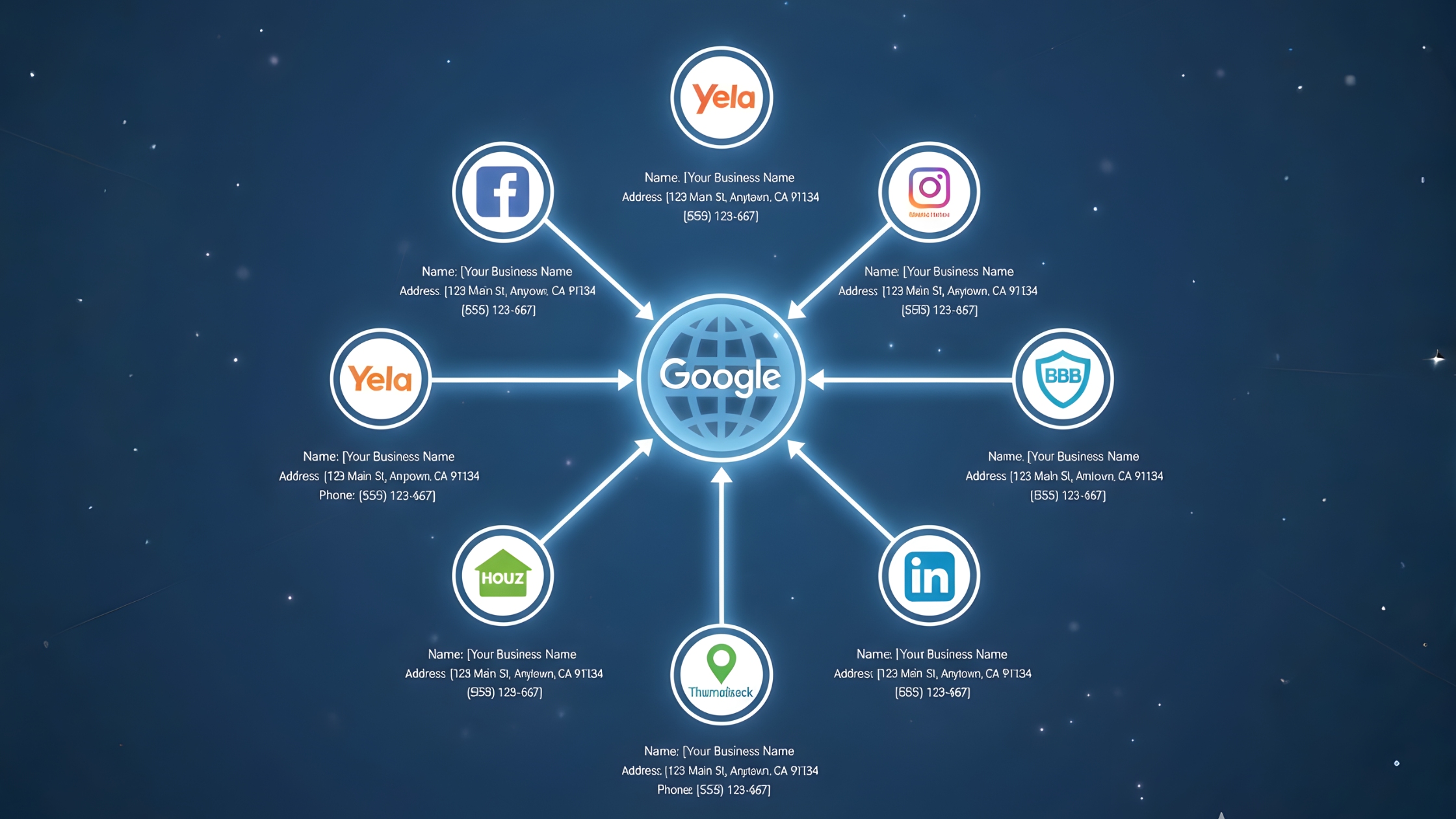
Start by ensuring your Name, Address, and Phone (NAP) are exactly the same on:
- Your website footer (on all pages)
- Local directories (Yelp, Houzz, Angi/Angie’s List, HomeAdvisor, Thumbtack, Better Business Bureau, local chambers)
- Social profiles (Facebook, Instagram, LinkedIn)
Sources highlight how critical directories are for landscapers: “Getting your gardening or landscaping business listed on citation sites should be considered an essential task… with a consistent presence across these websites, you’ll naturally boost your online visibility.”
In practice, claim and optimize your listings on the major directories (like Yelp, Houzz, BBB, and your local Chamber of Commerce) and niche home-service portals (such as HomeAdvisor, Networx, and Porch). A complete, consistent listing signals to Google that your business genuinely operates and serves your local area.
3. On-Page Local SEO
Your website should clearly tell both users and search engines that you’re a local business. Optimizing on-page elements with local intent strengthens your visibility in area-specific searches and helps you attract nearby customers.
Key tactics include:
- Location Pages or Service Pages: If you serve multiple areas, create a dedicated page for each city or neighborhood — for example, “Lawn Care in Cedar Grove” or “Hardscaping Services in Lakeview.” This gives Google clear local signals and targets specific search phrases. Make sure each page has unique content, references local landmarks, or includes testimonials from clients in that area.
- Local Keywords in Titles and Meta Descriptions: Include your city or service area in titles and meta tags. Use examples like “Springfield Landscaping and Lawn Care Services.” Each page should have a unique title tag mentioning the location and the specific service to help you rank for “service + city” searches.
- NAP on Every Page: Display your exact business name, address, and phone number (consistent with your Google Business Profile) in the footer or header across all pages. This reinforces trust and consistency.
- Embed a Google Map: Add a map with your business pin on your Contact page. It helps users find you easily and provides Google with valuable location data.
- Schema Markup: Implement LocalBusiness or Service schema markup on your website. This structured data helps search engines clearly understand your business type, location, and services, improving your visibility in local search results.
4. Reviews and Reputation Management
Reviews power local SEO. Google even hinted that Review Signals (quantity, diversity, recency, keywords in reviews) can influence rankings. Aim to collect reviews on GBP and other platforms regularly. Whitespark warns against “review gating” (only funneling happy customers to review) – it’s explicitly banned.
Here are some Google recommended tips to get more reviews:
Encourage customers to leave reviews
Reviews are a powerful way to build trust and attract new clients. Let your customers know that leaving a review is quick and easy. You can ask them to submit feedback through a direct business link or a QR code. Always follow Google’s guidelines to avoid fake engagement.
Reply to reviews
Responding to customer reviews shows that you value their feedback and care about their experience. Learn how to read and reply to reviews on Google to maintain a professional and engaging presence.
Value all reviews
Honest and balanced reviews help potential customers make informed decisions. A combination of positive and negative feedback often feels more authentic. Replying to reviews allows you to provide additional information and demonstrate excellent customer service. If a review does not follow Google’s posting guidelines, you can request its removal. Learn how to report inappropriate reviews on your Business Profile.
5. Local Link Building and Partnerships
According to our USA SEO experts, high-quality local backlinks are still a big differentiator. Focus on earning links from other relevant local websites (Google views these as “votes” that boost your prominence). Some effective ideas:
Local Business Partnerships: Collaborate with complementary trades (non-competing) in your area. For example, swap links or blog posts with a local pool company, fencing contractor, plumber, or hardware store. SEMrush notes that “partnering with other local businesses can help you earn brand mentions and backlinks through cross-promotional content”. You could feature each other’s services on your blogs or create a “Local Partners” page on your site.
Community Involvement: Sponsor a youth sports team, host a gardening workshop, or contribute to a city beautification project. Local events often have websites or press releases that list sponsors with links. For instance, sponsoring a neighborhood festival could get your site linked on the event’s page.
Local PR and Content: Reach out to local news outlets or blogs. Offer to write an expert piece (e.g. “5 Fall Lawn Care Tips for [City] Homeowners”) or comment as a landscape expert for a story. A short guest article or interview on a local paper’s site can earn a valuable link.
Industry Directories and Associations: If you join a trade association (like a state landscaping association) or your town’s Chamber, ensure your member profile has a link to your website. Many associations list members with backlinks.
All of these bolster your “prominence” in Google’s eyes. Remember: local relevance trumps scale. You don’t need national links – links from nearby businesses and organizations in your service area carry the most weight.
Also Read: USA Landscaping Industry Trends for 2025 & Beyond
Advanced and Little-Known Local SEO Hacks
After implementing the basic local SEO tactics, you can gain an extra advantage by using advanced strategies. These techniques are often overlooked online but have proven to deliver impressive results for businesses looking to dominate local search.
Hyper-Local Content Clusters
Instead of creating a generic “landscaping blog,” focus on hyper-specific content. Develop clusters of pages or posts that target individual neighborhoods, subdivisions, or landmarks within your service area.
Recent voice-search studies recommend producing neighborhood-level content. For example, instead of a single page titled “Landscapers in [City],” create pages such as “Landscapers in [Exact Neighborhood]” or “Best Lawn Care Near [Local Park]”.
If your landscaping business serves Phoenix, you might have one page on “Desert Landscaping Tips for Mesa” and another on “Front Yard Xeriscaping in Tempe.” Incorporate local references like street names, parks, or community events. This approach signals to Google that your business is not just city-wide but genuinely local to each specific area.
Concrete examples include creating blog posts like “Top 5 Native Plants for [Neighborhood Name] Gardens” or “Lawn Care Calendar for [County/City] Seasons.” By doing this, you build a content hub of localized topics that enhances your authority in specific micro-areas.
Google’s AI-driven algorithms favor this level of detail, especially in the era of voice search.
Geo-Tagged Photo Uploads
A clever tactic some local SEOs try is geo-tagging your images. This means embedding GPS coordinates in the photo’s EXIF data before uploading to your Google Business Profile or website gallery. A 2025 study tested this and found geotagged images did improve “near me” rankings in the targeted coordinates. In one example, photos tagged at the business location boosted rankings for “[service] near me” queries in that area. (Interestingly, the same study saw a slight drop for queries with the town name, so results are mixed.)
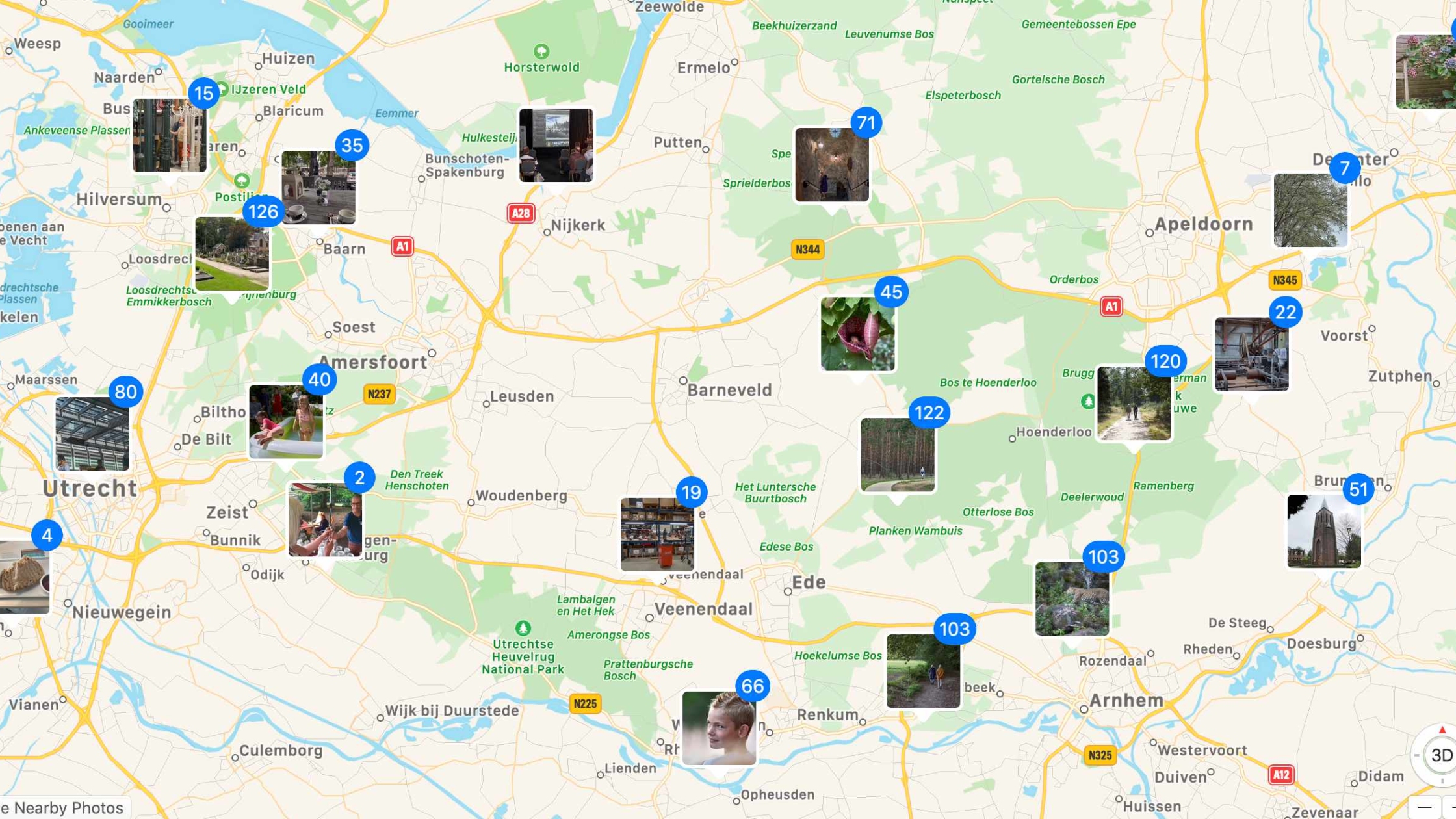
Bottom line: it doesn’t hurt to use a phone or photo editor to add location metadata to your pictures. When you upload them to GBP or your site’s portfolio, Google may glean extra location cues.
At worst it does nothing; at best it slightly helps with hyper-local relevance for mobile users searching nearby. Since Google’s own reps say it “shouldn’t matter” for rankings, consider this a low-effort, “possible upside” tactic. Always prioritize genuine, high-quality images first – only geo-tag them if it’s easy to do so.
Driving Directions Pages (Optional)
This one sounds odd, but it works. Create simple pages on your website that give driving directions from nearby cities or neighborhoods to your business. Add relevant local content to make them helpful. For instance, a page titled “Directions from [Neighboring Town] to [Your City] Landscaping Company” with a map, turn-by-turn instructions, and maybe notes about landmarks along the way.
Example: If you’re in Denver, you might have pages like “Getting to [Your Company] from Boulder” or “Routes from Aurora to [Your Service Area].” Include natural language (“Take I-25 South, exit at X… look for the red brick house on Pine Street”), local business recommendations en route (coffee shop, gas station), or even traffic tips. This not only aids SEO for “landscaper [NeighborCity]” keywords, it also improves user trust and engagement when visitors find practical info on your site.
Local Partnership Link Swaps
We mentioned building local links, but one hack is doing formal link swaps with non-competing local businesses. For example, partner with a local arborist, pool installer, fence company, or pet sitter. Each can write a helpful blog post linking to the other (e.g., “How Landscaping and Pest Control Work Together” on the landscaper’s site linking to the pest control partner).
Or create a “Neighborhood Resources” page with brief profiles of each other’s services and links. These are trade association style collaborations. They’re usually low-cost or free and create genuine, locally-relevant backlinks. Just be sure the businesses are in your actual service area. SEMrush calls partnering locally a way to earn “brand mentions and backlinks through cross-promotional content,” expanding both audiences.
For instance, a landscaper’s site linking to a local nursery (and vice versa) makes sense to users and search engines alike.
Alt-Text (Important)
In addition to geo-tags, don’t neglect basic image SEO. Always use descriptive filenames and alt-text for on-site photos.
For example, name an image arlington-va-landscaping-project.jpg rather than IMG1234.jpg.
In the alt text, mention context like “Front yard landscaping job in Arlington, VA.” This reinforces your location and service in Google’s image recognition. Some advanced SEOs also try adding location keywords in IPTC captions or EXIF fields of images. Even if subtle, these cues can help Google tie your visual content to your local SEO signals.
Ethical Review Soliciting (No Gating)
As mentioned, any hint of <“review gating” (only asking happy customers to review) is against Google’s rules. That said, you can systematize review collection in smart ways: e.g., give every customer a feedback card after a job.
If they express satisfaction in person or via a quick feedback form, follow up with a polite request (via email or text) with a direct link to your Google review form. This isn’t technically gating (you’re not filtering who can post); you’re simply making it easy for engaged customers to review. Whitespark notes Google explicitly forbids gating, so tread carefully.
Always refrain from offering discounts or incentives for reviews, and never write fake reviews. A steady flow of legitimate reviews – even a couple per month – signals to Google that your business is active and trusted in the community.
Get Your Free Local SEO Consultation Today
Want professional help with local SEO?
Engage Coders helps landscaping businesses in USA grow through
powerful local SEO strategies that boost visibility, website traffic, and credibility.
Bonus: Best Free Local SEO Tools for USA Landscaping Companies
Even without paid tools, landscaping companies can improve local SEO using these free resources. They help with keyword research, website optimization, local listings, and content ideas.
Google Keyword Planner allows you to discover the search terms people in your area use. You can find keywords like “lawn mowing service near me” or “patio installation in [City]” and see their search volumes. A Google Ads account is required, but you do not need to run ads to use the tool.
Google Business Profile Manager
This tool lets you manage your business listing on Google Maps and Search. You can post updates, respond to reviews, upload photos, and track customer engagement. Maintaining an up-to-date profile improves your visibility in local searches.
Google Search Console provides insights into how your website performs in search results. You can see the keywords you rank for, track impressions and clicks, and identify technical issues that may affect local SEO.
Google Analytics helps you understand where your website visitors come from and how they interact with your pages. You can track which service pages or blog posts generate the most leads and conversions.
This tool analyzes website speed and performance. Fast-loading websites improve user experience and can positively impact search rankings. It provides actionable suggestions for improvement.
Listing your landscaping business on Bing Maps can increase visibility outside of Google. Bing Places supports local searches and voice search queries through platforms like Cortana or Alexa.
Putting It All Together
Becoming #1 Landscaping Company in USA in local search takes both diligence and creativity. Start by nailing the basics: a fully optimized Google Business Profile, consistent NAP/citations, targeted service pages, and a steady stream of reviews. Then layer on the “secret sauce” hacks: hyper-local content pages, geo-focused images, unique direction pages, and local link partnerships. Each one of these moves sends strong signals to Google that you are the landscaping pro truly rooted in your community.
Engage Coders is one of the leading SEO companies for landscaping in USA. With over 15 years of experience, we help landscaping companies boost local visibility, drive more website traffic, and generate high-quality leads. Our SEO Experts for landscaping in USA combine proven SEO strategies with innovative local marketing techniques to ensure your business stands out in search results and grows within your community. Request a free consultation today to start dominating local search.


