
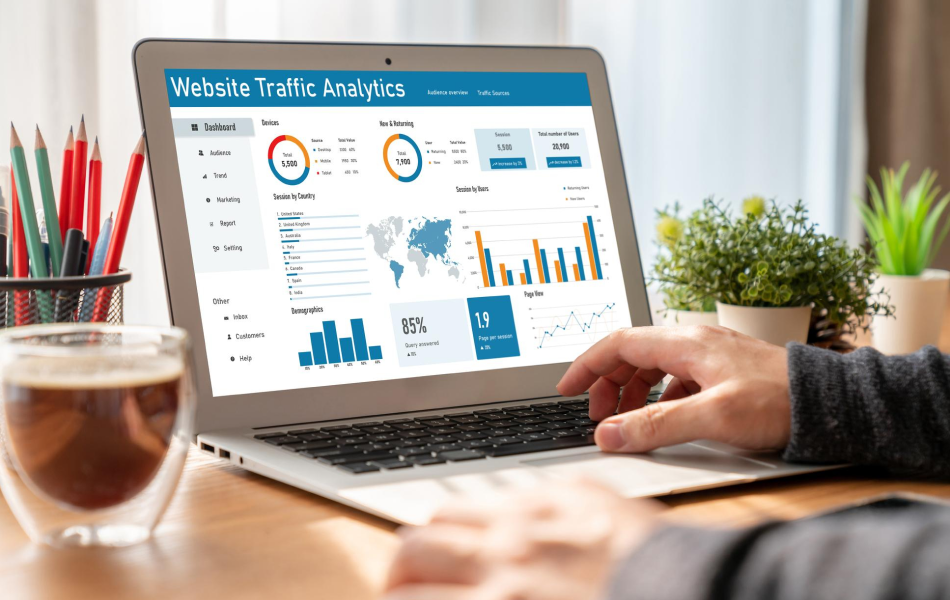
How to Analyze & Compare Competitor Website Traffic in 2025
Unlock Business Growth with Competitor Traffic Analysis
Looking to expand your business by leveraging competitor traffic analysis? You’ve come to the right spot.
In this guide, you’ll discover how to analyze and compare your competitors’ website traffic, understand why this strategy is effective, and identify the tools that deliver the most precise data.
Pro Tip: Sign up for a free Semrush account (no credit card required) to follow along with the steps outlined in this article.
What Exactly Is Competitor Traffic Analysis?
Competitor traffic analysis involves examining your competitors’ website traffic and using the insights gained to enhance your own site’s performance. Numerous tools can assist with this type of analysis, including Semrush’s Traffic & Market Toolkit.
A comprehensive toolkit like Traffic & Market offers a variety of metrics and insights, such as:
- The volume of traffic your competitors are generating
- Whether their audience is growing or shrinking
- The channels that drive the most traffic
- User experience indicators like average visit duration and bounce rate
- Visitor demographics and locations contributing the most traffic
- Pages users visit after landing on their websites
- And much more.
Essentially, competitive intelligence allows you to identify what’s already working for others and build on those successes.
Is It Possible to Track Competitor Website Traffic?
For tracking your own website’s traffic, Google Analytics remains the most reliable and detailed tool available.
However, it won’t help when it comes to analyzing your competitors’ data.
To check a competitor’s site traffic, you’ll need a specialized tool—like Semrush’s Traffic & Market Toolkit.
The Traffic & Market Toolkit provides a wide range of dashboards that deliver various types of traffic data, revealing:
- Website traffic
- Visitor engagement levels
- Breakdowns of traffic channels
- AI-driven traffic trends
- User journeys
- Top-performing pages
- Audience demographics
- And more
This tool utilizes clickstream data (information about the pages users visit) from multiple proprietary and third-party sources.
It then employs an AI algorithm to aggregate, clean, and process raw data from over 200 million internet users.
In this article, we’ll demonstrate how to analyze competitor website traffic using a tool like Semrush’s Traffic & Market Toolkit. We’ll walk you through gathering, analyzing, and applying the data to refine your strategy.
Why Competitor Traffic Analysis Matters
Understanding competitor traffic isn’t just about curiosity—it’s a strategic advantage. By analyzing competitor website traffic, teams can uncover patterns and opportunities that might otherwise go unnoticed. For instance, identifying which traffic sources bring the most visitors can inform your marketing efforts. Similarly, evaluating organic traffic analysis helps pinpoint SEO gaps and strengths.
Actionable Steps to Get Started
Ready to dive in? Begin by exploring tools like Semrush’s Traffic Analytics and Backlink Analytics. These platforms make it easier than ever to gather competitive insights. Additionally, resources like Semrush’s Keyword Gap feature enable you to perform a thorough keyword gap analysis, ensuring you’re targeting the right terms.
By focusing on metrics such as traffic sources , competitor backlinks , and market leader strategies , you can craft a data-driven plan that propels your business forward.
Stay tuned as we delve deeper into the methods and tools that will elevate your competitive analysis game.
Data Tells a Story: Unlocking Insights for Growth
Data has the power to tell a compelling story. It can reveal whether visitors are finding what they need on a website or if a new partnership is delivering results.
And when it comes to competitor data, the insights you gather can help you outperform them and capture more traffic for your own site.
Let’s explore some actionable tactics to make this happen.
Measure Competitor Website Traffic
Start with a broad perspective. This foundational step sets the stage for deeper analysis later on.
Begin by entering your competitors’ websites into the Traffic Overview dashboard. From there, start exploring the wealth of information available.
You’ll quickly gain access to estimates of their traffic and engagement metrics, along with trends showing increases or decreases over time.
Here’s a breakdown of what each metric represents:
- Visits: The estimated total number of visits to the website during that month.
- Unique Visitors: The estimated number of unique individuals visiting the website during that month.
- Purchase Conversions: The percentage of traffic that results in a conversion.
- Pages/Visit: The average number of pages a user views during a single session on the website.
- Avg. Visit Duration: The average amount of time visitors spend on the website.
- Bounce Rate: The percentage of visitors who leave after viewing just one page.
Now, let’s take a closer look.
Dive Deeper into Traffic Channels
The Traffic & Market Toolkit offers specialized dashboards for key traffic channels—such as AI traffic, referral, organic, paid, email, and display ads. These allow you to analyze channel-specific metrics and strategies.
For instance, AI assistants like ChatGPT, Gemini, Claude, and Perplexity are increasingly becoming gateways to online discovery. Understanding how these platforms reference and recommend competitors is now just as critical as ranking in search engines.
With Semrush’s AI Traffic dashboard, you can track how often these assistants mention or recommend competitor brands across different time periods, platforms, and geographies.
Together, these dashboards not only show how much traffic competitors are receiving but also where it’s coming from and how it contributes to their overall success.
Examine Traffic Trends Over Time
Scroll further down in the Traffic Overview dashboard, and you’ll find the Traffic Trend chart.
This chart displays the same broad metrics mentioned earlier but visualizes them over time. This helps identify patterns and provides a forecast for upcoming months, such as May.
Next, explore the Traffic Channel Trend graph, which highlights traffic trends for specific channels like referral, search, social, email, and more.
For example:
- Are there noticeable spikes or drops in organic traffic analysis?
- If so, are these changes seasonal (occurring annually)?
- Do they affect all the websites you’re comparing?
Think critically about what might have caused these fluctuations.
Pay special attention to spikes. Did a competitor launch a standout campaign? Was there a major event or partnership driving traffic?
Understanding the reasons behind these spikes can help you replicate successful strategies and boost your own traffic.
Similarly, analyzing drops in traffic can reveal pitfalls to avoid in your campaigns.
Actionable Takeaways for Competitive Growth
By leveraging tools like Semrush’s Traffic Analytics and Backlink Analytics, teams can gather precise data on competitor backlinks, traffic sources, and market leader strategies.
Additionally, performing a keyword gap analysis using resources like Semrush’s Keyword Gap feature ensures you’re targeting untapped opportunities.
Stay proactive in analyzing trends, understanding traffic sources, and learning from both successes and failures. With these insights, you’ll be better equipped to refine your strategies and stay ahead of the competition.
Keep exploring the tools and methodologies that will elevate your competitive analysis efforts—and watch your traffic grow.
Boost Your Business with Competitor Traffic Analysis
Looking to grow your business by analyzing competitor traffic? You’re in the right spot.
This article will guide you through analyzing your competitors’ website traffic, explain why this strategy is effective, and highlight the tools that provide the most accurate data.
Pro Tip: Sign up for a free Semrush account (no credit card required) to follow along with the steps in this guide.
What Is Competitor Traffic Analysis?
Competitor traffic analysis involves studying your competitors’ website traffic to improve your own site’s performance. Tools like Semrush’s Traffic & Market Toolkit can assist in this process, offering valuable metrics and insights such as:
- The volume of traffic your competitors are generating
- Whether their audience is growing or declining
- The channels driving the most traffic
- User experience indicators like average visit duration and bounce rate
- Visitor demographics and locations contributing the most traffic
- Pages users visit after landing on their websites
In essence, competitive intelligence helps you uncover what’s working for others so you can build on those successes.
Can You Really Track Competitor Website Traffic?
For tracking your own website’s traffic, Google Analytics remains the gold standard. However, it won’t help when analyzing competitors.
To check a competitor’s site traffic, you’ll need specialized tools—like Semrush’s Traffic & Market Toolkit.
The Traffic & Market Toolkit provides a variety of dashboards that reveal:
- Website traffic
- Visitor engagement levels
- Breakdowns of traffic channels
- AI-driven traffic trends
- User journeys
- Top-performing pages
- Audience demographics
This tool leverages clickstream data (information about the pages users visit) from multiple proprietary and third-party sources. It then uses an AI algorithm to aggregate, clean, and process raw data from over 200 million internet users.
In this guide, we’ll show you how to analyze competitor website traffic using tools like Semrush’s Traffic & Market Toolkit, demonstrating how to gather, analyze, and apply the data to refine your strategy.
Analyze Any Company’s Website Traffic
Data has stories to tell. It can reveal whether visitors are finding what they need or if a new partnership is paying off. Insights drawn from competitor data can help you outperform them and capture more traffic.
Let’s explore some actionable tactics you can use.
Measure Competitor Website Traffic
Start with a broad perspective to lay the foundation for deeper research later.
Enter competitor websites into the Traffic Overview dashboard and begin exploring.
You’ll quickly see estimates of their traffic and engagement, along with trends showing increases or decreases over time.
Here’s a quick breakdown of each metric:
- Visits: Estimated total visits to the website during that month
- Unique Visitors: Estimated total unique visitors to the website during that month
- Purchase Conversions: Percentage of traffic leading to a conversion
- Pages/Visit: Average number of pages a user views per session
- Avg. Visit Duration: Average time visitors spend on the website
- Bounce Rate: Percentage of visitors who leave after viewing just one page
Note: The Traffic & Market Toolkit provides estimated data. For precise numbers for your own site, use Google Analytics.
Now, let’s dive deeper.
The Traffic & Market Toolkit offers dashboards for key traffic channels—such as AI traffic, referral, organic, paid, email, and display ads—allowing you to analyze channel-specific metrics and strategies.
For instance, AI assistants like ChatGPT, Gemini, Claude, and Perplexity are becoming gateways to online discovery. Understanding how these platforms reference and recommend competitors is now as critical as ranking in search engines.
With Semrush’s AI Traffic dashboard, you can track how these assistants mention and recommend competitor brands across time, platforms, and geographies.
Together, these dashboards reveal not only how much traffic competitors receive but also where it’s coming from and how it impacts their success.
Examine Traffic Trends Over Time
Scroll further in the Traffic Overview dashboard to view the Traffic Trend chart.
This chart displays the same metrics mentioned earlier but visualizes them over time, helping you spot trends and forecast future performance.
Next, explore the Traffic Channel Trend graph, which highlights traffic trends for key channels like referral, search, social, email, and more.
For example:
- Are there spikes or significant drops in organic traffic?
- If so, are these changes seasonal (occurring annually)?
- Do they affect all the websites you’re comparing?
Think critically about what might have caused these fluctuations.
Pay special attention to spikes. Did a competitor launch a standout campaign? Was there a major event or partnership driving traffic?
Understanding the reasons behind these spikes can help you replicate successful strategies and boost your own traffic.
Similarly, analyzing drops in traffic can reveal pitfalls to avoid in your campaigns.
Compare Website Traffic Customer Experience
Now, let’s compare user experience across your competitors using metrics like Pages per Visit, Avg. Visit Duration, and Bounce Rate.
These metrics are available in the Traffic Overview dashboard or through the Daily Trends dashboard for more granular insights.
Analyzing these metrics is crucial because a high number of visitors doesn’t always tell the full story.
Comparing engagement metrics can give you a better understanding of user behavior and whether they’re finding what they need.
For example, if a competitor’s bounce rate worsens over time, it could indicate:
- Users aren’t finding the content interesting or helpful
- A promoted offer isn’t as appealing as it seems
- Traffic is coming from regions where the product or service isn’t available
Tracking these metrics over time can reveal who is excelling at serving customers and help you learn from their successes while avoiding their mistakes.
Track User Sources & Journeys
Stay in the Traffic Overview dashboard and scroll to view the Traffic Journey chart, which shows where users come from and where they go after visiting competitor sites.
You can then explore the Traffic Channel Dashboards to examine journey charts focused on specific sources like Organic Search, Referral, or Paid Social.
Finally, head to the Sources & Destinations dashboard to dive deeper. Use the graphs and tables to organize traffic by channel and category, compare competitors, and spot trends in user behavior.
Explore Top Pages, Subdomains, and Subfolders
To see your competitors’ top pages, head to the Top Pages dashboard.
You’ll find a detailed report with data on page views, unique visitors, traffic channels for each page, and various sorting options.
To search for specific pages (those promoted on organic social media or with paid ads), filter by traffic channel to bring those pages to the top.
For example, filtering Nike’s pages by the word “sandals” reveals insights into their marketing strategy, such as focusing on “Jordan Dydrip Big Kid Sandals,” which receives significant organic social traffic.
Finally, explore the Subdomains & Subfolders dashboard to see your competitors’ top subfolders and subdomains by traffic and channel.
Use this information to determine if you should create similar subfolders or subdomains.
Pro Tip: Another tool you can use to monitor traffic changes easily is Organic Research. Start by entering the domain name you’d like to examine, navigate to the “Position Changes” tab, and review the “Top Page Changes” widget to see pages with the most change in estimated traffic.
Generate Audience Insights for Strategic Growth
The Audience Overlap dashboard is an excellent starting point for understanding how your market’s audience interacts with you and your competitors.
The overlap graph visually represents the size of your competitors’ audiences and the extent to which their audiences overlap. For instance:
- The largest circle belongs to nike.com, indicating they have the largest audience.
- They share the largest overlap with adidas.com, meaning 3.5 million people who visited nike.com also visited adidas.com.
Using this information, you can identify potential partnerships or target specific audiences to grow your traffic.
Note: For more granular data, explore the Demographics dashboard (for age, gender, geography, and unique visitors) or the Countries, USA States, or Business Regions dashboards, depending on your needs.
Track Competitor Web Traffic Globally
The Countries dashboard provides insights into global audience behavior.
Start by analyzing the Traffic Map for a general overview of a competitor’s international web traffic.
Additionally, review the Trend by Visits graph to understand how traffic flows to various countries over time.
For example, the graph above highlights a spike in traffic from Mexico in early May. This trend suggests it might be worth researching this market further.
The Traffic by Country table below provides detailed data for specific locations. Each entry includes a drop-down tab showcasing the top-performing pages in that country.
Considering the Mexican market again, the growing interest indicates it could be a promising target for future growth.
Take Competitor Analysis to the Next Level
While analyzing competitor website traffic is a smart way to boost your own traffic, don’t stop there.
A more thorough competitor analysis allows you to capitalize on their weaknesses, replicate their strengths, and prioritize tasks effectively.
Here are some advanced strategies to consider:
- Conduct a keyword gap analysis using tools like Semrush’s Keyword Gap feature to uncover keywords your competitors are ranking for but you aren’t.
- Identify sites that link to your competitors but not to you by exploring Semrush’s Backlink Analytics.
- Discover your competitors’ best-performing pages and create something better or similar to capture their audience.
By leveraging these tactics and tools like Semrush’s Traffic & Market Toolkit , you can stay ahead of the competition and drive meaningful results.
Actionable Takeaways for Digital Marketers
For digital marketers, SEO specialists, and business owners, mastering competitor traffic analysis is essential. It empowers teams to emulate market leader strategies while addressing gaps in their campaigns.
Whether it’s evaluating traffic sources , exploring organic traffic analysis , or conducting a keyword gap analysis , every step brings you closer to achieving a competitive advantage.
Explore resources like Semrush’s Organic Traffic blog and tools like Traffic Analytics to refine your approach and unlock the full potential of your competitive analysis efforts.
Stay proactive, keep refining your strategies, and let competitor traffic analysis guide your path to success.
Partner with our Digital Marketing Agency
Ask Engage Coders to create a comprehensive and inclusive digital marketing plan that takes your business to new heights.


