
What is a Markup Language? [+ 7 Examples]
A markup language is a way to set up and show content in digital files so that computers can understand and display it properly. Markup languages use special words, signs, and rules to mark up the text.
For example, the <h1> tag in HTML (Hypertext Markup Language) tells the computer that the text inside it is a main heading. Search engines use this to better understand what the page is about. Browsers use it to style the page correctly. This is how an H1 looks on a page and behind the scenes:
- Make your website easier for search engines to read
- Show your content the same way on all devices
- Make websites easier to use for everyone
Table of Contents
Markup Languages vs. Programming Languages
Markup and programming languages are both used with computers to manage content—but they work differently.
- Programming languages give instructions to computers.
- These instructions help computers do things like solve problems, make decisions, and respond to actions.
- For example, you can use programming to change a button’s color when someone points at it.
- Markup languages only set the structure and look of content when it loads.
- They can’t change how things work after the page is open.
- Programming languages include Python, JavaScript, and PHP.
Types of Markup Languages
Markup languages can be:
- Semantic (meaning-based)
- Presentational (looks-based)
- Procedural (step-based)
- Or a mix of these
Semantic markup adds meaning by showing what each part of the content is for.
This helps browsers, search engines, and developers understand the page. For example, in XML, <author>John Doe</author> tells us that “John Doe” is the author.
It doesn’t change how the text looks.
Presentational markup changes how things look on the screen. It says how to display text, but not how to show it step by step. For example, in HTML, <b>Bold Text</b> makes the text bold.
But it doesn’t explain how to make it bold.
Procedural markup gives commands on what to do with the content. It explains the steps to show or format the text. For example, in LaTeX, \textbf{Bold Text} tells the system to make the text bold.
7 Markup Language Examples
Here are some popular markup languages:
HTML, XML, Markdown, SVG, LaTeX, SGML, and XHTML.
Let’s look at them more closely:
1. HTML:
HTML is the main markup language used to build websites. The most recent version is HTML5.
In HTML, we wrap content in tags to show what each part is.
Some examples are:
<p>for paragraphs<a>for links<img>for pictures<h1>for main headings<title>for the page name

We can also use semantic HTML to label parts like the header or footer. This helps search engines, screen readers, and developers. Here’s a look at how regular HTML compares to semantic HTML:
Many HTML tags also have attributes that give more details. Attributes have a name and value. For example, the href attribute sets where a link goes.
HTML is often used with:
- CSS (for styling)
- JavaScript (for making things interactive)
2. XML:
XML stands for Extensible Markup Language. It is used to store and move data. In SEO, we use XML to make sitemaps. A sitemap lists all the pages we want search engines to find and show in results. XML makes it easy for search engines to read these files.
In XML, we can make our own tags to describe data. Here’s a simple example of how XML holds data about articles:

3. Markdown:
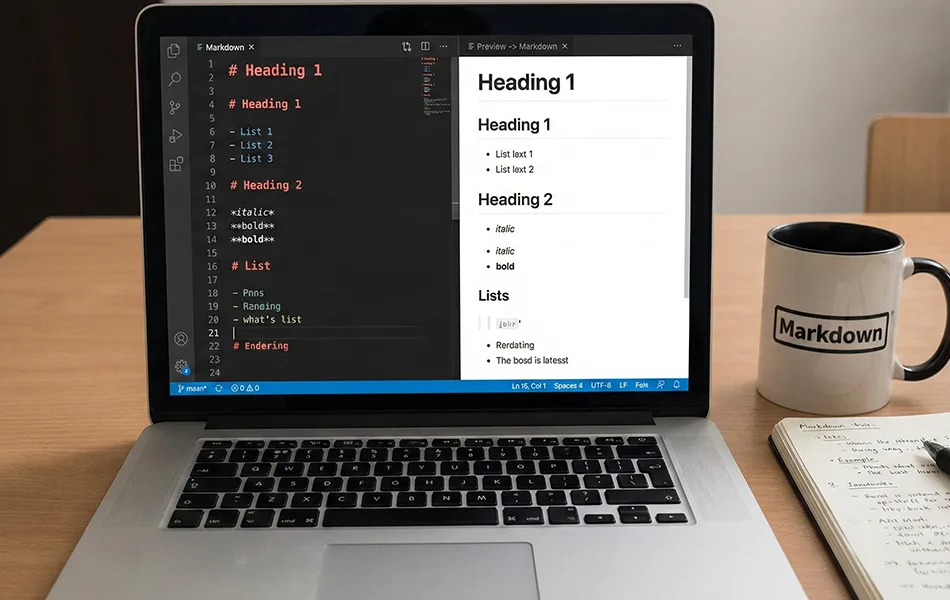
Markdown is a simple markup language that uses symbols to format text in plain text editors. Its easy rules make it good for quick formatting and easy to read in many places. Markdown works well with word processors, chat apps, forums, note apps, websites, and project tools. Some sites like Reddit and GitHub use their own types of markdown.
4. SVG:
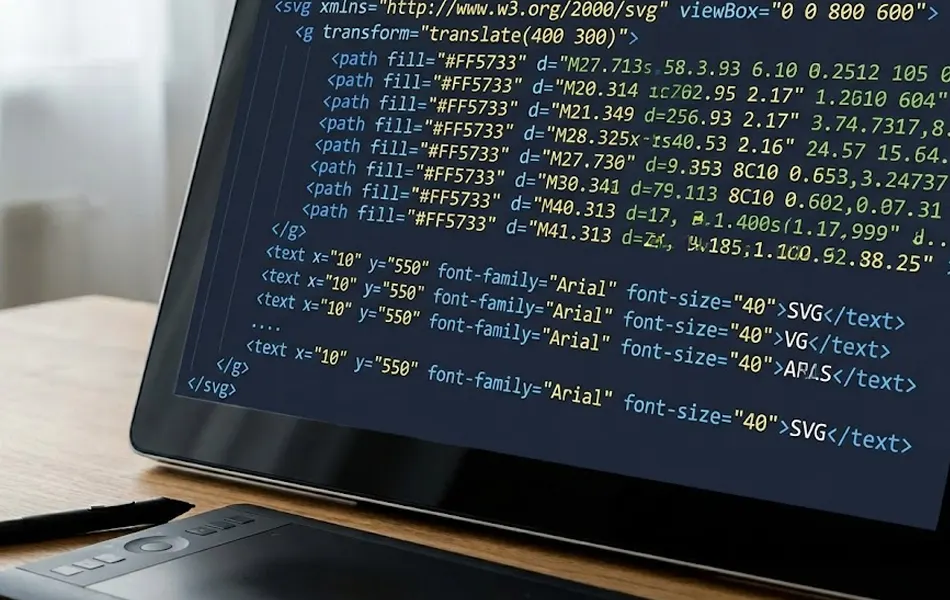
SVG stands for Scalable Vector Graphics. It is used to describe vector images using markup. Vector images are made with math, so they stay clear even when resized. This means they are best for simple images, and they don’t lose quality when made bigger or smaller. For example, SVG code can make a blue circle that fits in the middle of a box and takes up most of the space. SVG images look sharp at any size and usually load faster than regular images like JPEGs and PNGs. That’s why SVG is a smart choice for logos, icons, charts, and simple designs.
5. LaTeX:
LaTeX is a markup language that gives step-by-step rules to show content. It is mostly used for writing science papers, research articles, and math content, often saved as a PDF. LaTeX lets us show hard math formulas in the right way. It also helps manage things like references, footnotes, and lists of books—things that are hard to do in other markup languages.

6. SGML:
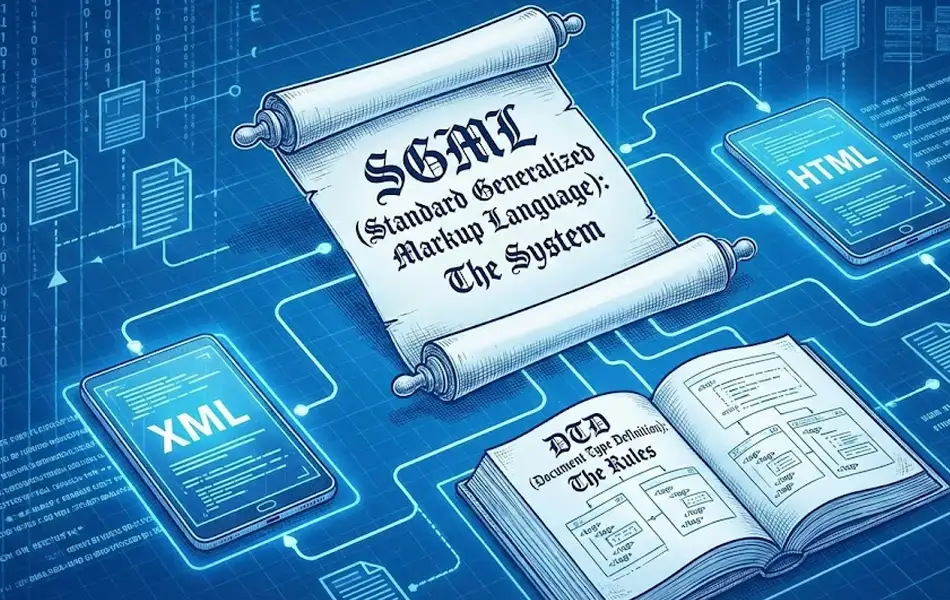
SGML stands for Standard Generalized Markup Language. It is not a markup language by itself, but a system to help create other markup languages. HTML and XML were built using SGML. To use SGML, we first need to create a Document Type Definition (DTD). The DTD explains the structure of the document and lists all the elements, attributes, and entities we plan to use. Then, we write the document by following these rules. Today, most people use HTML or XML instead of SGML. That’s because HTML and XML are easier to use and work well on most platforms.
7. XHTML:
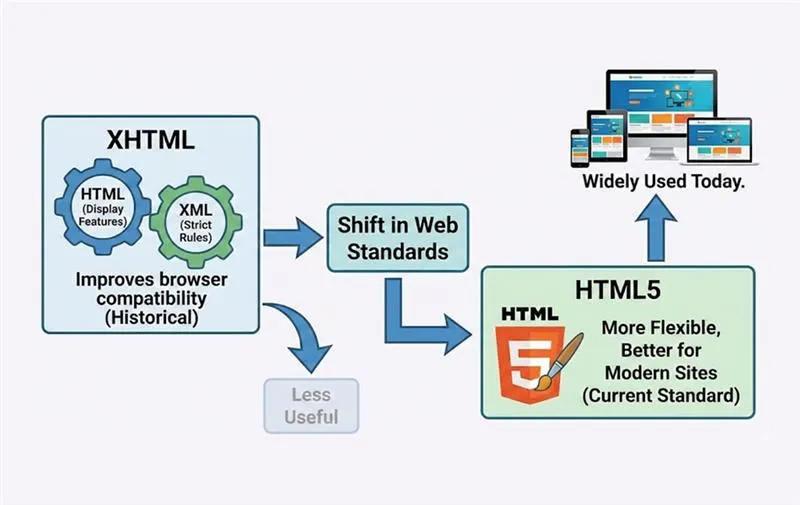
XHTML is a mix of HTML and XML. It uses HTML’s display features along with XML’s strict writing rules. XHTML was made to improve how code works in different web browsers. But many of its features became less useful when HTML5 was introduced. Now, most people use HTML5 instead of XHTML. That’s because HTML5 is more flexible and works better with modern websites.
Should We Learn Markup Languages?
Yes, learning markup languages can help us work on documents, websites, or papers without needing extra help. But many tools today use WYSIWYG editors (What You See Is What You Get).
These tools let us change content on the screen while they write the markup code in the background. For example, in WordPress, if we apply the “H1” style in the visual editor, it adds an <h1> tag in the HTML code. If our project needs complex features, it’s better to hire a skilled web developer. A developer can help us save time and make sure the work is done well.
How to Learn Markup Languages
We can learn markup languages by watching videos, reading tutorials, or practicing in online editors. Here are some good places to start:
- W3Schools offers free lessons, videos, tests, and even paid courses and certificates.
- Codecademy lets us try HTML in a live editor and see results right away.
- MDN Web Docs (by Mozilla) has free tools for learning HTML, CSS, and JavaScript.
- Stack Overflow is a forum where we can ask questions or find answers shared by others.
Partner with our Digital Marketing Agency
Ask Engage Coders to create a comprehensive and inclusive digital marketing plan that takes your business to new heights.
Contact Us
Find and Fix Markup Errors on Your Website
Even one small mistake in markup can cause errors. That’s why it’s important to check our content before and after publishing. Some examples are:
- Errors in XML sitemaps
- HTML problems like missing titles or doctype
- SVG image issues
The tool also finds other website problems and gives tips on how to fix them. We can also assign these fixes to our team to keep the site running smoothly.
FAQs
No, you can write code in simple text editors, though specialized tools often make the process easier. When looking for the best markup languages to learn, you will find that most have excellent support in free editors like VS Code.
Not at all; they are generally easier than programming languages because they focus on structure rather than logic. HTML is often cited as one of the best markup languages to learn for beginners due to its readable syntax.
They provide semantic context, telling bots what part of the text is a title, an article, or a footer. Improved indexing and search visibility are key markup language benefits for any website.
Yes, particularly in hybrid apps where web technologies define the user interface. One of the primary uses of html markup is creating responsive layouts that adapt seamlessly to mobile screens.
They ensure that documents look consistent across different devices by strictly defining the structure. These markup language benefits guarantee that bold text, lists, and headers render correctly for every user.
Mostly yes, but there can be slight differences in how rendering engines interpret code. Developers must account for different types of markup language standards to ensure cross-browser compatibility.
They use specific tags (like <img> or <video>) to embed media sources directly into the layout. This integration of rich media is one of the most common uses of html markup on the modern web.
Yes, they are essential for structuring emails so they display correctly in various email clients. Specific uses of html markup, such as table-based layouts, ensure emails look good in Outlook, Gmail, and Apple Mail.
By labeling content with semantic tags (like <h1> and <meta>), they help search engines prioritize the most important information. These markup language benefits directly contribute to higher rankings and better organic traffic.
CMS platforms often handle the code automatically while you type in a visual editor. While they manage various types of markup language (like HTML or XML) in the background, some also support other markup languages like Markdown for easier writing.


