
How Much Does a Custom Web App Cost? A Detailed Breakdown of All Factors
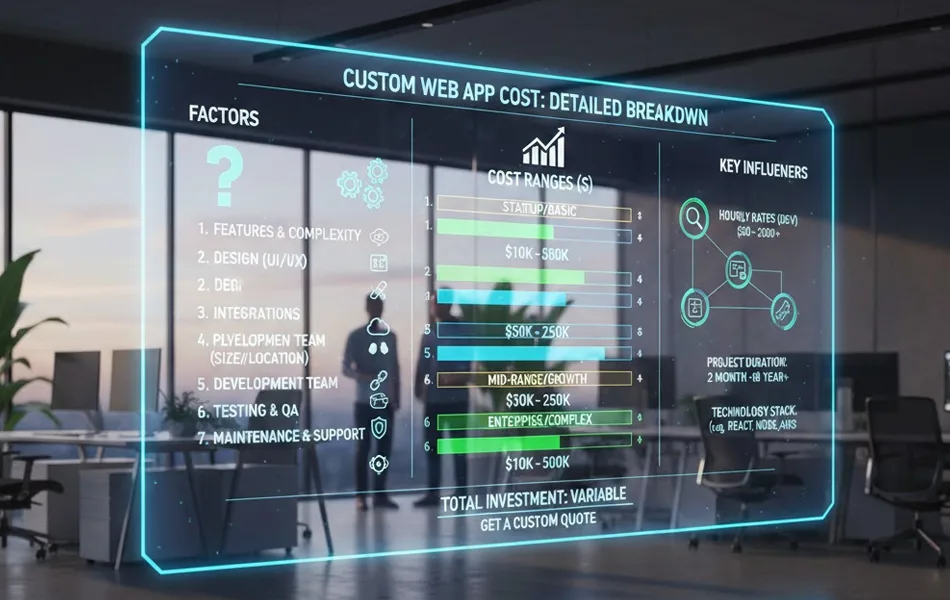
“How much does a custom web application cost?” This is one of the most common and complex questions in the world of web development. The answer is never a single number. The price can range from $5,000 for a simple, informational website to well over $250,000 for a complex, enterprise-grade software platform. The honest, and most helpful, answer is: it depends.
To create a realistic budget, make an informed investment, and avoid surprise costs, you need to understand the key factors and variables that drive the final price. This detailed breakdown covers the primary cost drivers you need to consider, moving you from a vague question to a confident budget.
Table of Contents
Core Driver #1: Project Scope and Complexity
This is the single largest determinant of cost. At its core, cost is a function of time, and the more features you need and the more intricate the underlying business logic, the more time and resources from skilled professionals are required. We can break this down into tiers:
Tier 1: Simple Web Apps / Informational Sites (“Digital Brochure”)
- Features: A handful of static pages (Home, About, Services, Contact), a basic, template-based design, a standard blog, and a simple contact form.
- Typical Cost Range: $5,000 – $20,000
- Description: These sites are perfect for establishing a professional online presence for a small business, consultant, or restaurant. They are designed to provide information and a point of contact, with limited user interactivity. The development process is straightforward, with minimal custom logic.
Tier 2: Moderately Complex Web Apps (Business-Integrated)
- Features: Everything in Tier 1, plus user registration and profiles, third-party API integrations (e.g., connecting to a HubSpot CRM or a Mailchimp account), basic e-commerce functionality (e.g., Shopify or WooCommerce), and a flexible content management system (CMS) for easy updates by non-technical staff.
- Typical Cost Range: $20,000 – $70,000
- Description: These applications involve dynamic content and significant user interaction. Examples include a membership site with protected content, a real estate listings portal that pulls from an MLS feed, or a standard online store with a few dozen products.
Tier 3: Complex, Enterprise-Level Web Apps (Mission-Critical Software)
- Features: Highly custom business logic and workflows, advanced e-commerce with complex shipping/tax rules, real-time data processing and dashboards, machine learning integrations, the development of custom APIs to connect with other systems, and extensive, multi-system third-party connections.
- Typical Cost Range: $70,000 – $250,000+
- Description: These are mission-critical software-as-a-service (SaaS) platforms or internal tools tailored to unique business processes. Examples include a custom Customer Relationship Management (CRM) system, a sophisticated project management platform like Asana, or a large-scale e-learning platform with video streaming and interactive quizzes.
Uncertain where your project falls? The first step to getting an accurate estimate is a detailed discovery process. Schedule a free consultation with Engage Coders to map out your feature requirements.
Core Driver #2: UI/UX Design Investment
The level of investment in User Interface (UI) and User Experience (UX) design has a significant impact on the price and, more importantly, on the long-term success of the product.
- Template-Based Design: Using a pre-made, commercially available theme or template is the most budget-friendly option.
- Impact on Cost: Low. The primary costs are for customization, branding, and content population.
- Trade-offs: Offers limited originality and may not perfectly align with your brand or specific user workflow needs. Can lead to a generic look and feel.
- Custom UI/UX Design: This is a comprehensive, multi-step process that can include:
- User Research & Persona Development: Understanding who your users are.
- User Journey Mapping: Charting the path users will take through your application.
- Wireframing: Creating the low-fidelity structural blueprint of each screen.
- Prototyping & User Testing: Building interactive mockups and testing them with real users to identify friction points before development starts.
- High-Fidelity Visual Design: Creating a completely original, pixel-perfect visual identity for your application.
- Impact on Cost: High. This is a significant investment in professional design and research services.
- Return on Investment: A well-designed application almost always yields a massive ROI through higher user engagement, better conversion rates, stronger brand identity, and a significant competitive advantage.
Core Driver #3: Agency and Team Composition
Who builds your application and where they are located plays a major role in the overall cost.
- Geographic Location (Geographic Arbitrage):
- Onshore (USA, Canada, Western Europe): Highest rates ($100 – $250+/hour). Offers the benefits of no time zone issues, shared language, and cultural alignment.
- Nearshore (Eastern Europe, Latin America): Mid-range rates ($50 – $100/hour). Can be a good balance of cost savings and manageable time zone overlap.
- Offshore (Asia, India): Lowest rates ($20 – $50/hour). Offers the most significant cost savings but can present challenges with communication, time zones, and quality control.
- This is a strategic decision that involves a trade-off between cost and communication overhead.
- Team Experience and Skillset:
- An agency staffed by senior developers, specialized engineers, and experienced project managers will have higher hourly rates than a more junior team.
- However, this can be a false economy. A senior developer might solve a complex problem in 5 hours that would take a junior developer 20 hours of trial and error. The higher hourly rate of the senior developer often leads to a lower total project cost, a faster timeline, and a higher-quality, more stable final product.
Core Driver #4: The Total Cost of Ownership (TCO)
One of the most common and costly mistakes a business can make is budgeting only for the initial build.
A web application is not a one-time purchase; it is a living asset that requires continuous investment
to remain secure, functional, and valuable.
- Domain Name & Web Hosting:
Annual fees for your domain name and monthly/annual costs for the servers that run your application.
These can range from $20/month for simple shared hosting to
thousands per month for dedicated, high-traffic cloud infrastructure. - SSL Certificate:
An annual cost for the HTTPS encryption that secures your site, protects your users’ data,
and is a requirement for good SEO. - Ongoing Maintenance Retainers:
This is a crucial, non-negotiable expense. Software needs to be constantly updated to patch
security vulnerabilities. A professional maintenance plan, which can range from
$500 to over $5,000 per month, typically covers:- Security patching and software updates.
- Bug fixes that emerge post-launch.
- Performance monitoring.
- Automated daily or hourly backups.
- Third-Party Service & API Fees:
Many applications rely on external services that carry their own subscription or licensing costs.
This can include payment gateways (which charge a percentage of each transaction),
mapping APIs (e.g., Google Maps), CRM platforms, or premium plugins. - Marketing, SEO & Content Creation:
A new website or application will not attract users on its own. A significant ongoing budget for
digital marketing, content creation, and search engine optimization is required to drive traffic
and achieve your business goals.
Example Cost Breakdown Table
To make these concepts more concrete, here’s an example cost breakdown for a hypothetical Tier 2: Moderately Complex Web App with an estimated total initial build cost of $50,000. Note that these percentages can shift based on project specifics (e.g., a design-heavy project will have a higher UI/UX percentage).
| Phase / Component | Description of Activities | Estimated % of Budget | Estimated Cost (for a $50k project) |
|---|---|---|---|
| 1. Discovery & Strategy | Project brief refinement, stakeholder interviews, competitor analysis, feature prioritization, technical specification document. |
10% – 15% | $5,000 – $7,500 |
| 2. UI/UX Design | User flow mapping, wireframing, prototyping, user testing cycles, high-fidelity visual design for all screens. |
15% – 20% | $7,500 – $10,000 |
| 3. Frontend Development | Coding the client-side of the application (what users see and interact with) using HTML, CSS, and JavaScript frameworks like React. |
20% – 25% | $10,000 – $12,500 |
| 4. Backend Development | Building server-side logic, database architecture, APIs, user authentication, and third-party integrations. |
25% – 30% | $12,500 – $15,000 |
| 5. Quality Assurance (QA) Testing | Writing test cases, manual and automated testing across devices and browsers, bug fixing, and functionality verification. |
10% – 15% | $5,000 – $7,500 |
| 6. Project Management | Communication, timeline management, resource allocation, risk management, and client reporting throughout the lifecycle. |
10% – 15% | $5,000 – $7,500 |
| Total Initial Build Cost | 100% | $50,000 (Example) |
How to Control Costs
The best way to control the cost of your project is to have a clearly defined scope from the very beginning. A vague idea will always lead to “scope creep”, the gradual expansion of project requirements that blows up budgets and timelines.
Invest in Discovery:
A thorough initial discovery and planning phase is one of the most effective cost-control measures you can undertake.
Create a Detailed SOW:
A comprehensive Statement of Work (SOW) prevents misunderstandings and provides a clear baseline for all work.
Choose the Right Pricing Model:
Understand the difference between Fixed-Price and Time & Materials to align the financial structure with your project’s needs.
To see how all these pieces fit together into a successful project, check out our Ultimate Guide to Hiring a Web Development Agency.
Ready to get a clearer picture of your project’s budget?
The journey from a vague idea to a precise estimate starts with a conversation. Contact Engage Coders today for a free, no-obligation consultation. We’ll help you define your scope, explore your options, and provide a transparent estimate tailored to your unique goals.


