From Idea to Launch & Beyond: The Complete Guide to the App Development Lifecycle
Let’s start with a reality check. Building a mobile app isn’t a neat, step-by-step process. It’s a messy, challenging, and often chaotic journey. This guide isn’t a pristine map promising a smooth ride; it’s a battle-tested field guide designed to help you navigate the jungle, avoid the common pitfalls, and make the smart trade-offs that lead to success.
We’ll walk through the six essential phases of the Application Development Life Cycle (ADLC). Think of this as the C-level briefing on what it really takes to turn a great idea into a thriving application in 2025.
The Foundation – From Abstract Idea to Viable Concept
This is where most app ventures die, long before a line of code is written. The culprit isn’t a technical bug; it’s building something nobody wants. This phase is about systematically de-risking your idea before you bet the farm on it.
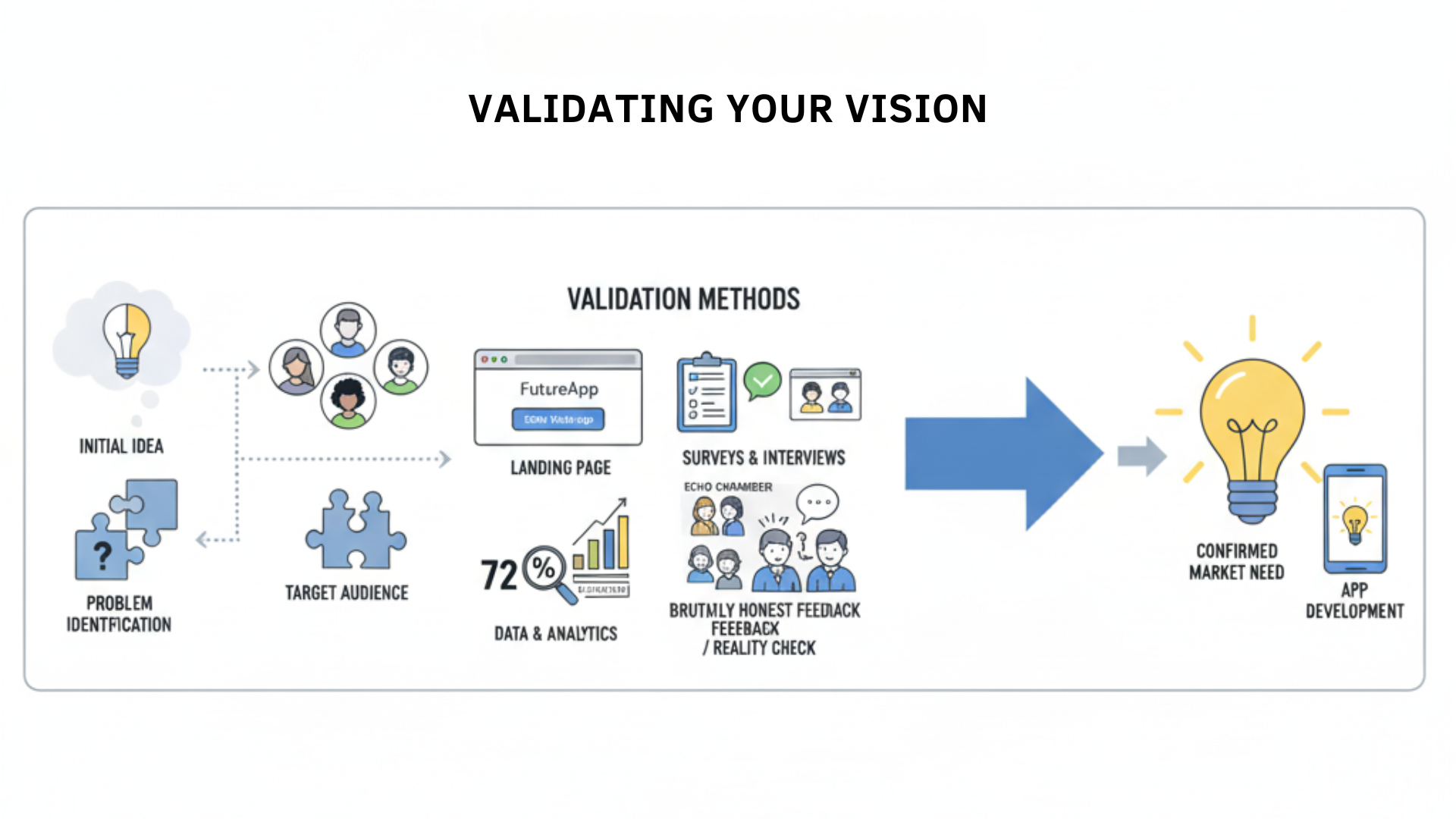
1. Validate Your Vision
A successful app is a solution to a real problem for a specific audience. Your goal here is to find cold, hard evidence that the problem is real and that people will value your solution.
- The Problem-Solution Imperative: Get brutally specific. What is the nagging pain point your app solves? Who, exactly, feels this pain? How are they trying to solve it now (with spreadsheets, sticky notes, or a competitor’s clumsy app)? Why will your solution be a game-changer for them?
- Systematic Idea Validation: You need to test your core assumptions.
- Landing Pages: The classic smoke test. Put up a simple one-page site that sells the dream of your app. Use mockups, highlight the benefits, and have a single call-to-action: “Join the Waitlist.” The number of email sign-ups is your first real metric of market interest.
- Surveys & Interviews: Go where your audience lives online. But more importantly, get on the phone or Zoom with at least 15-20 potential users. Don’t pitch your idea; listen. Ask about their problems, frustrations, and what they’ve tried before. Dig for the pain.
Reality Check: Escape the Echo Chamber
The single biggest trap in this phase is confirmation bias. Your friends and family will tell you your idea is brilliant. They mean well, but their feedback is often worse than useless. You must seek out brutally honest opinions from your actual target audience—the strangers you expect to pay for your solution. If you’re not a little nervous to hear what they have to say, you’re not asking the right people.

2. Define Your Minimum Viable Product (MVP)
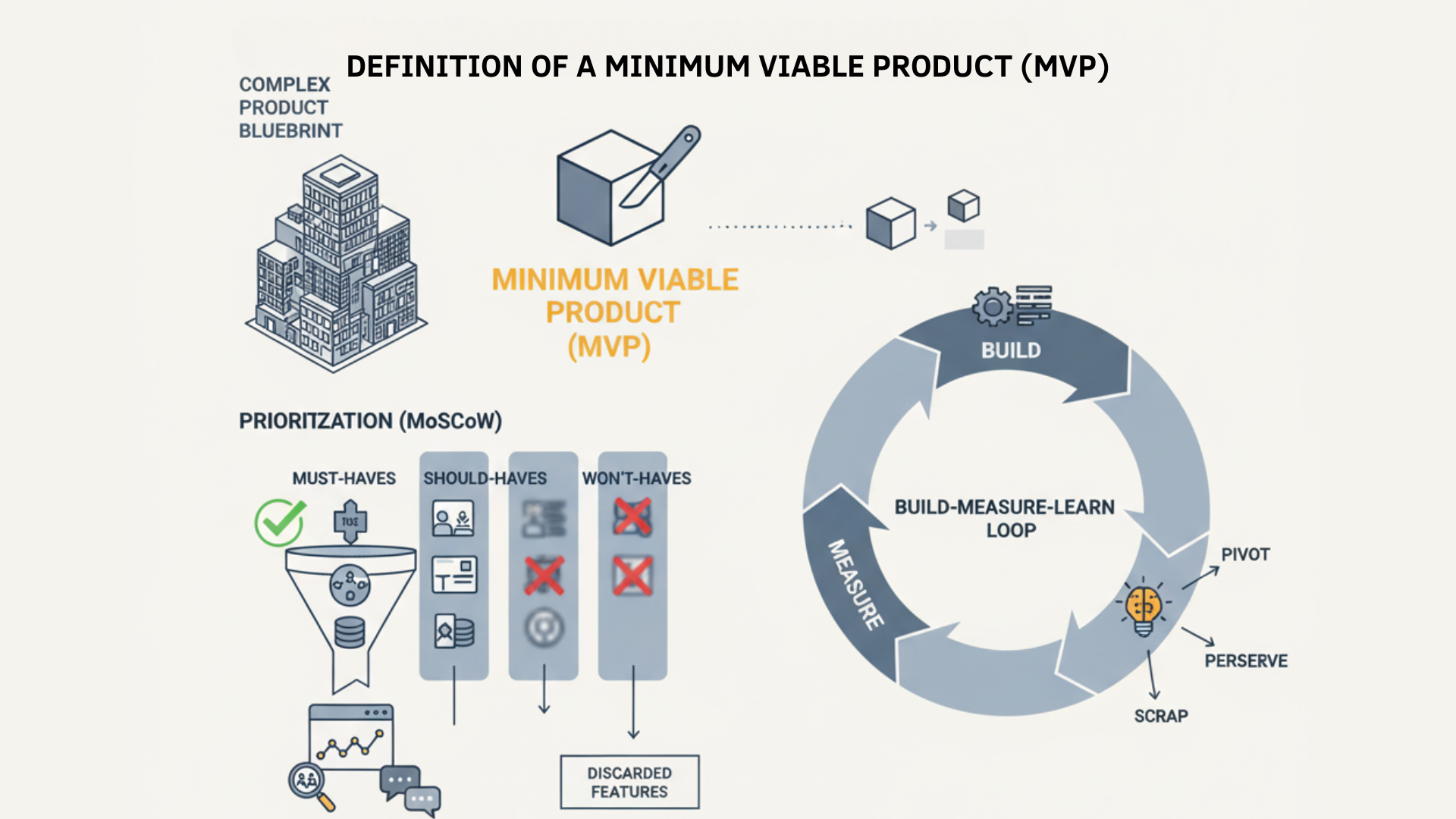
Let’s be clear: an MVP is not your grand vision crammed into a smaller box. It’s a scalpel, not a Swiss Army knife. Its sole purpose is to test your biggest assumption with the least amount of effort and money.
- Prioritize Ruthlessly: The MoSCoW method (Must-have, Should-have, Could-have, Won’t-have) is your best friend here. An MVP consists only of the “Must-haves”—the absolute bare-bones features needed to solve the user’s core problem. Be prepared for painful cuts.
- The Build-Measure-Learn Loop: This isn’t just a diagram in a business book; it’s your survival mechanism. You Build the smallest possible thing to test your idea. You Measure how real users react. You Learn from their behavior (not just their words) and decide whether to pivot, persevere, or scrap it. Instagram’s famous pivot from a cluttered check-in app (Burbn) to a simple photo-sharing app is the classic example for a reason: they listened to the data and had the courage to kill their darlings.
Further Reading
- The Discovery Phase Blueprint: How to Define Your App’s Scope to Prevent Budget Creep
- Why a Minimum Viable Product (MVP) is the Smartest Way to Launch Your App
- Monetization Models for Mobile Apps: A Complete Guide
The Blueprint – Designing a User-Centric Application
With a validated idea, you can now design the blueprint. Great design isn’t just about pretty colors; it’s about creating an intuitive and frictionless path for your user to solve their problem. This phase is also where your entire team—designers, developers, and founders—gets on the same page.
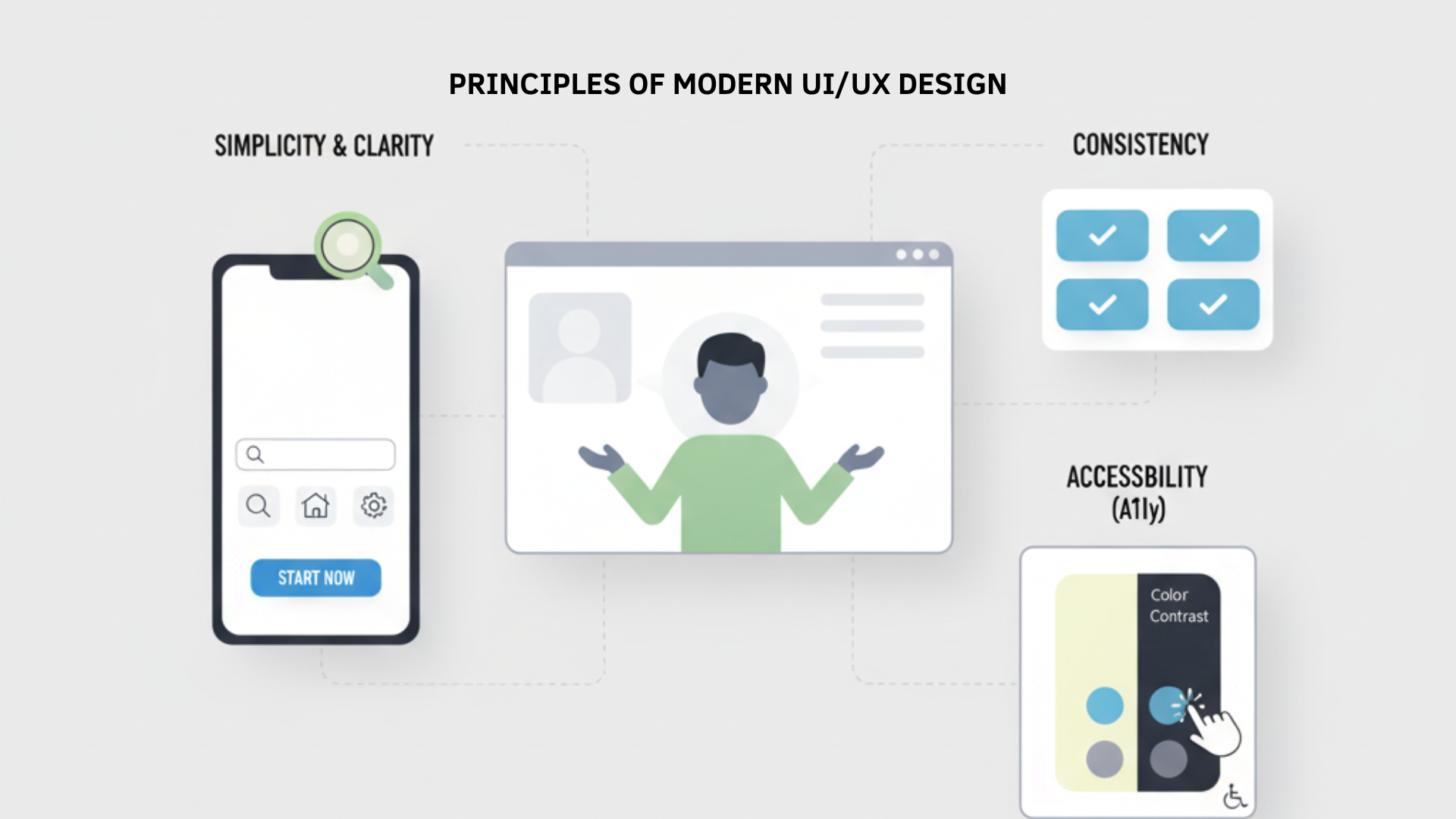
3. The Principles of Modern UI/UX Design
- User-Centricity: Every decision must be filtered through the question: “What does our user need here?”
- Simplicity & Clarity: Don’t make the user think. A clean, uncluttered interface that guides the user to their goal will always win.
- Consistency: A consistent design language builds trust and makes your app feel intuitive and reliable.
- Accessibility (A11y): Designing for everyone isn’t a feature; it’s a requirement. Proper color contrast, large touch targets, and screen reader support make your app usable by more people and is simply the right thing to do.
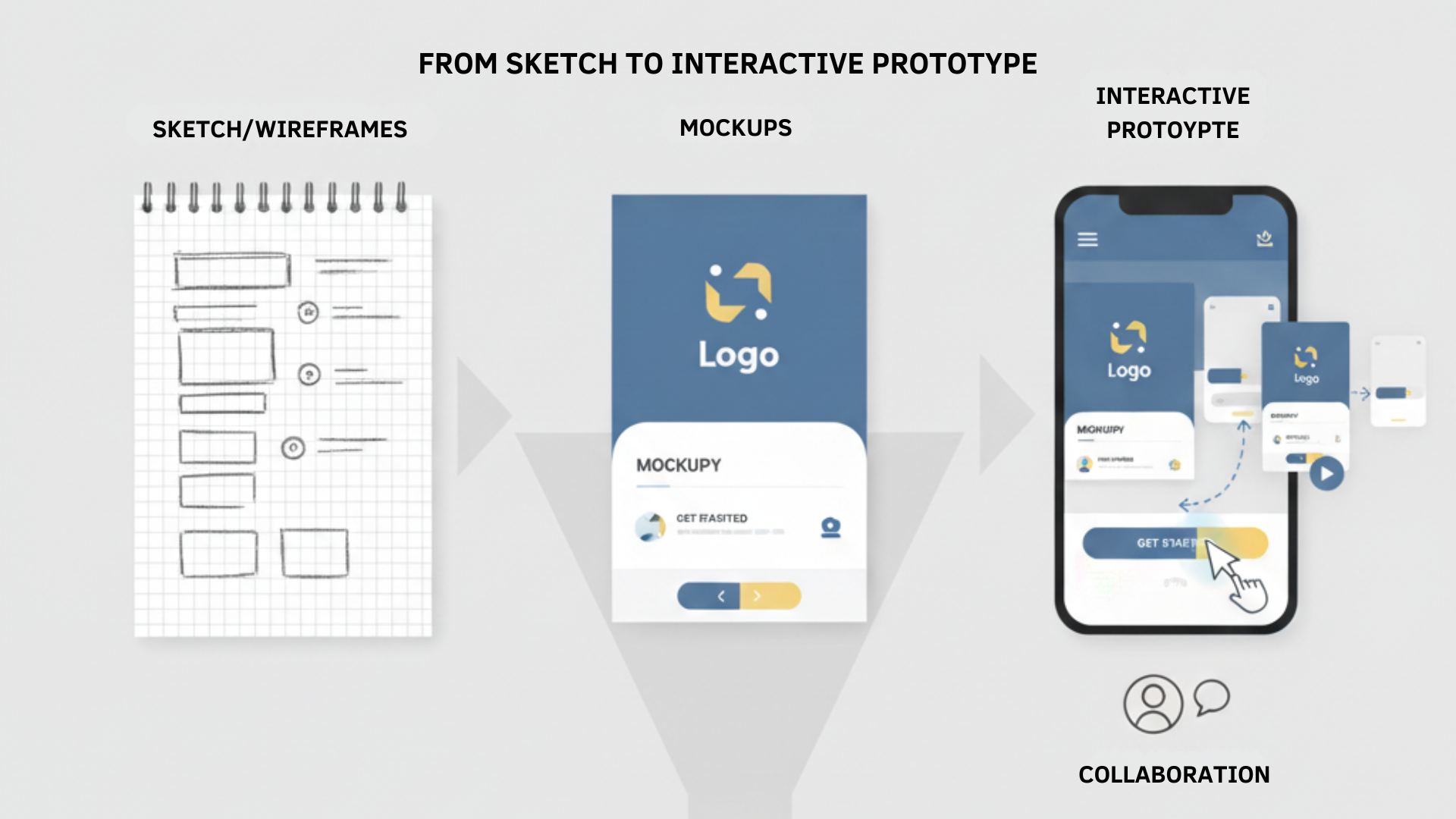
4. From Sketch to Interactive Prototype
The design process is a funnel, moving from cheap, fast iterations to a high-fidelity simulation.
- Wireframes: The structural blueprint. Black-and-white boxes that map out where everything goes.
- Mockups: The visual layer. This is where you apply your brand, color palette, and typography.
- Interactive Prototypes: Using tools like Figma, you make the mockups clickable. This is the first time the app feels real. It’s also your golden opportunity for usability testing. An interactive prototype that can’t actually be built is a beautiful waste of time and money; this is where designers and developers need to be in constant, honest communication.
Further Reading
The Build – Engineering Your Application
Here, the blueprint becomes reality. The technical decisions you make now will have long-lasting consequences for your app’s performance, your budget, and your ability to hire.
5. Choosing Your Development Philosophy
This is about how your team will handle the inherent chaos of building something new.
Methodology Core Philosophy Flexibility to Change Best For Waterfall Sequential, linear progression. Predictability and control. Rigid. Changes are difficult and costly. Projects with fixed, well-understood requirements in stable environments. Agile (Scrum) Iterative and incremental. Adaptability and customer value. High. Change is welcomed and can be incorporated in each “sprint.” Projects with evolving requirements in dynamic markets, like mobile apps. The reality is that the “Build-Measure-Learn” loop is often a “Build-Panic-Patch-Rebuild” cycle. Agile isn’t just a process; it’s a mindset that embraces this messy reality, allowing you to adapt without derailing the entire project.
6. Architecting Your Technology Stack
This is the collection of languages and frameworks that will power your app.
- The Core Choice: Native vs. Cross-Platform
- Native (Swift for iOS, Kotlin for Android): The heavyweight champion. Offers unbeatable performance and full access to all device features. It’s the right choice for demanding apps like 3D games or high-security banking apps, but it’s also the most expensive and time-consuming route, requiring two separate teams.
- Cross-Platform (Flutter, React Native): The smart challenger. Allows you to “write once, run anywhere,” drastically cutting development time and cost. For 90% of apps—from social networks to e-commerce—the performance is excellent and the business case is undeniable.
- Backend Technologies: This is your app’s engine room. You can build it from scratch with tools like Node.js or Django, or you can accelerate your launch by using a Backend-as-a-Service (BaaS) like Google’s Firebase, which handles the heavy lifting of databases and authentication for you.
Reality Check: This Choice Has Consequences
Choosing your tech stack is a business decision that can define your company’s future. The wrong choice can lead to a slow, buggy app and a shallow talent pool that makes hiring new developers a nightmare. Don’t let your team pick a stack just because it’s new and shiny. Prioritize stability, scalability, and, most importantly, the availability of skilled developers to maintain it.
The Gauntlet – Rigorous Testing and Quality Assurance
QA isn’t a department; it’s a discipline. It’s the process of proactively finding and squashing bugs before they ruin your users’ experience and your brand’s reputation.
7. A Multi-Layered Approach to Testing
A robust QA strategy is a safety net with multiple layers. Think of it this way: a bug found during the design phase might cost $10 to fix. The same bug found by a user after launch could cost $10,000 in developer time, support tickets, and lost customers. This isn’t just about quality; it’s about financial survival.
Testing Type Primary Objective Example Functional Verifies that each feature works as required. Confirming a user can complete a purchase successfully. Usability Assesses how intuitive and user-friendly the app is. Observing a first-time user trying to create a profile. Performance Measures speed, responsiveness, and resource usage. Ensuring the app loads in under 3 seconds during peak traffic. Security Identifies and mitigates data vulnerabilities. Verifying that user payment information is encrypted. Compatibility Ensures the app works across different devices and OS versions. Checking that the UI displays correctly on both new and older phones. 8. From Internal Checks to Public Validation
- Alpha Testing: Your internal team tries to break the app in a controlled environment. This is your first line of defense.
- Beta Testing: You release the app to a limited group of real, external users. This is where theory meets reality. You’ll uncover real-world bugs and usability issues you could never find in a lab. The feedback here is pure gold.
Further Reading
The Launch – Go-to-Market Strategy
The launch isn’t a single event; it’s a coordinated push. Getting your technically sound app into the hands of users requires navigating the gatekeepers: the app stores.
9. Mastering App Store Optimization (ASO)
ASO is how users discover your app organically. Getting it right is a massive competitive advantage.
- Keyword Optimization: Find the search terms your audience uses and strategically place them in your app’s Title and descriptions.
- Creative Assets: Your icon and screenshots are your storefront. They must be professional and compelling enough to stop a user from scrolling.
- Ratings and Reviews: This is powerful social proof and a key ranking factor. Proactively ask your happiest users for reviews, and respond to all of them—especially the negative ones.
10. Navigating the Submission Process
Submitting your app can be nerve-wracking. A last-minute rejection from Apple for a seemingly minor issue can derail a major marketing campaign and cause a wave of panic. Meticulous preparation isn’t just recommended; it’s essential for your team’s sanity. Double-check everything against the platform guidelines before you hit “submit.”
The Journey Beyond – Sustaining Growth
The launch is the starting line, not the finish line. The real work of building a sustainable business begins now. In the app world, if you’re not moving forward, you’re dead.
11. Post-Launch Monitoring and Feedback
Your app is now a living product. You must have systems to monitor its health and listen to its users.
- Performance Monitoring: Use tools like Firebase Performance Monitoring to get real-time alerts on crashes and slowdowns.
- User Analytics: Track your KPIs—Daily Active Users (DAU), retention, churn—like a hawk. This data tells you the unfiltered truth about whether your app is providing value.
- Feedback Collection: Make it easy for users to talk to you through in-app feedback tools. Monitor app store reviews and social media mentions constantly.
12. The Unending Cycle of Maintenance and Updates
An app that hasn’t been updated in six months looks abandoned. A regular cadence of updates—to fix bugs, improve performance, and release new, user-requested features—signals that you are invested in the product. This builds trust, boosts your app store rankings, and keeps your users loyal.
Further Reading
Conclusion: The Principles of Enduring Success
The journey from idea to a thriving app is less like following a map and more like navigating a challenging expedition. It requires a clear strategy, but also the resilience to handle unexpected storms. It demands technical excellence, but it’s won or lost based on the human element—the strength of your team, your connection with your designers and developers, and your humility to listen to your users.
The most successful apps aren’t just built with code. They are forged in the continuous loop of building, measuring, learning, and having the courage to repeat the cycle, over and over again.
Ready to Navigate the App Development Jungle?
Reading a guide is a great first step, but executing is another story. The journey is complex, and having an experienced partner can be the difference between a successful launch and a costly failure.
At Engage Coders, we’ve been the trusted guide for founders and businesses, turning ambitious ideas into polished, high-performing mobile applications. We’re not just a team of developers; we are strategic partners who live and breathe this process every day. We’ve seen the pitfalls and celebrated the victories, and we bring that hard-won experience to every project.
If you’re ready to move from idea to action, let’s talk. We can help you validate your concept, define your MVP, and build an app that users will love.
Contact Engage Coders Today for a Free ConsultationFAQs
Q1: How much does it cost to build an app?
Ans: This is the number one question, and the honest answer is: it depends. The cost is a direct reflection of complexity. A simple utility app might cost as much as a new car, while a complex social networking or e-commerce app could cost as much as a house. Key factors include the number of features, the complexity of the design, the choice between native and cross-platform development, and the size and location of the development team. Be wary of anyone who gives you a fixed price without a detailed scope of work.
Q2: How long does it take to develop an app?
Ans: Similar to cost, the timeline depends on the app’s complexity and the size of the team. A well-defined MVP can often be designed, built, and launched in 3 to 6 months. A full-featured application can easily take 9 months or more. The Agile development process, which we use, allows for faster initial launches with continuous improvements over time.
Q3: Do I need to know how to code to launch an app?
Ans: Absolutely not. Many successful app founders are non-technical. Your role is to be the expert on the vision, the market, and the user’s problem. Your job is to partner with a skilled technical team—like Engage Coders—who can translate that vision into a high-quality product.
Q4: What’s the difference between a mobile app and a web app?
Ans: A mobile app (or native app) is downloaded from an app store (like the Apple App Store or Google Play Store) and installed directly onto a device. It can access device-specific features like the camera, GPS, and push notifications. A web app runs in a browser and is essentially a website that is optimized to look and feel like an app on a mobile device.
Q5: How do apps actually make money?
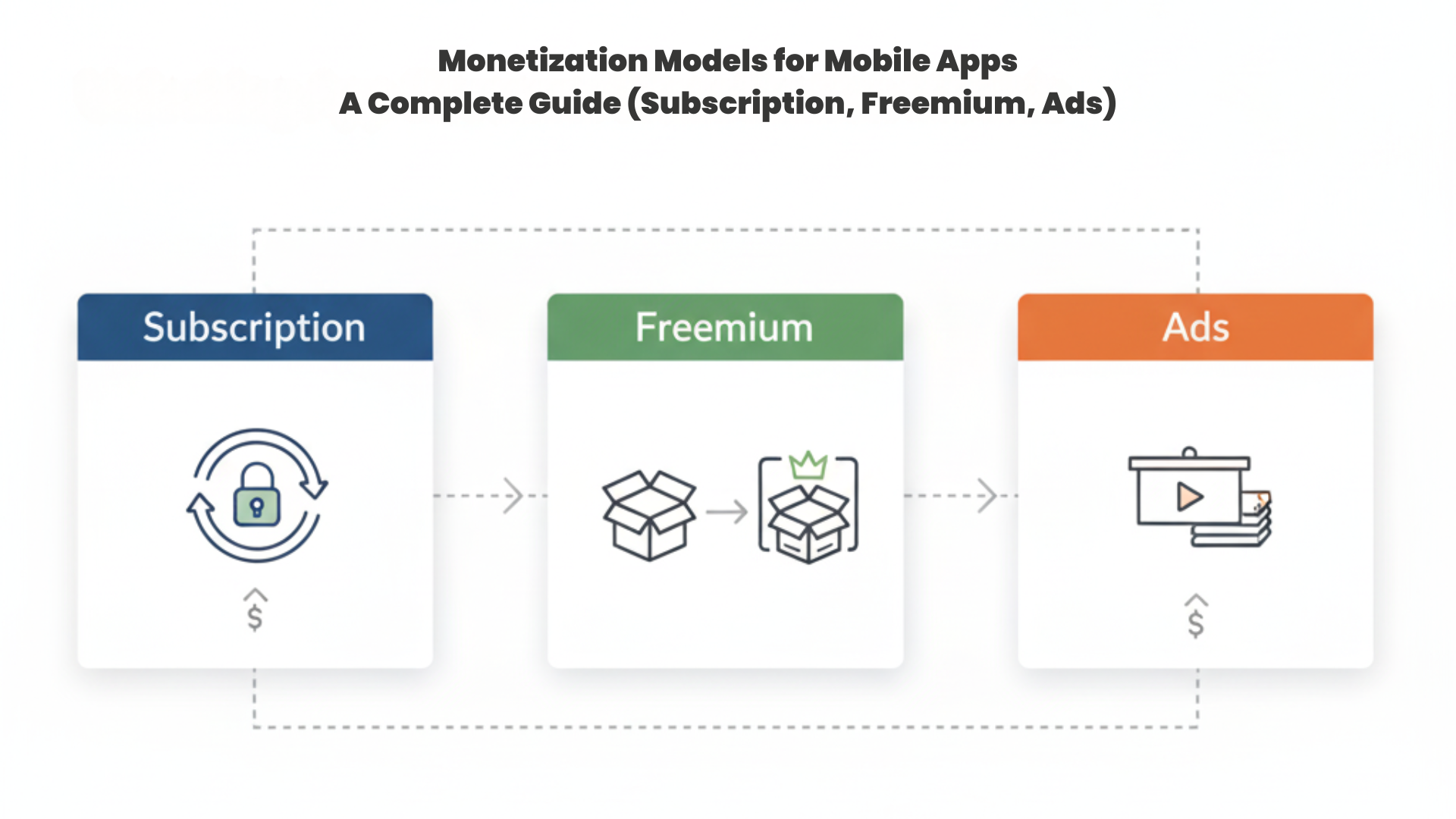
Ans: There are several common monetization models, including in-app purchases (selling digital goods), subscriptions (charging a recurring fee for access), freemium models (offering a free version with paid premium features), in-app advertising, and selling the app for a one-time upfront cost. The best model depends entirely on your app and your audience.
Q6: Why do I need to keep updating my app after it’s launched?
Ans: Launching your app is just the beginning. Regular updates are critical for fixing bugs, patching security vulnerabilities, ensuring compatibility with new OS versions (like iOS 18 or Android 15), and releasing new features based on user feedback. The app stores also favor apps that are actively maintained, which can improve your visibility.