
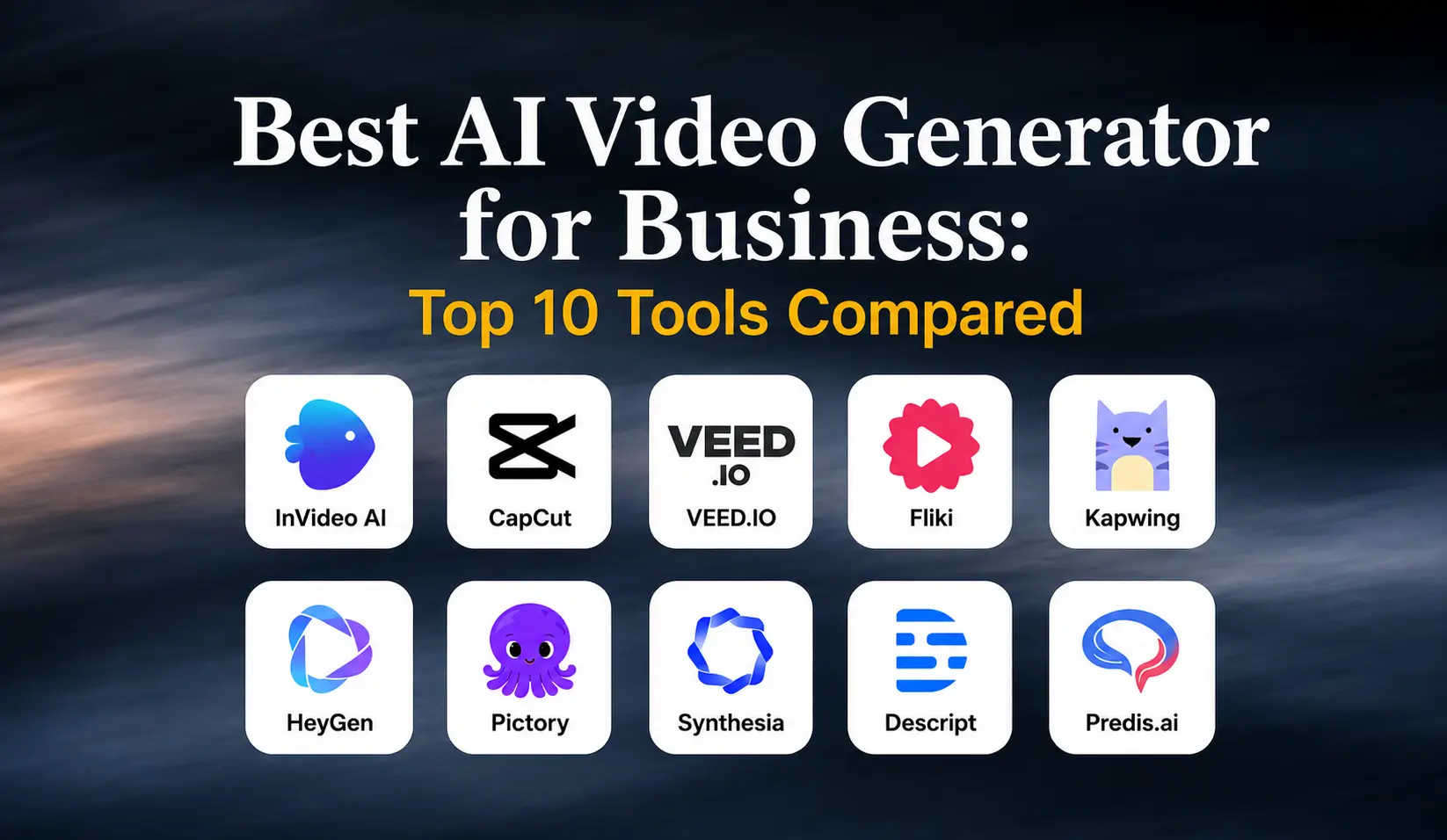
Best AI Video Generator for Business: Top 10 Tools Compared
AI video generators are changing how businesses create content for marketing, social media, training, product promotion, and customer communication. Instead of creating every video from scratch, businesses can use AI video creation tools to turn a script, prompt, product description, or existing content into a video in less time.
From AI-generated videos and realistic avatars to Instagram Reels and content repurposing, these tools can help businesses create more video content while reducing the time and resources required for production.
But with so many AI video generators available, choosing the right tool can be difficult. Some are designed for short-form social content, while others are better suited for marketing videos, training, business communication, product videos, or multilingual content.
In this guide, we compare the 10 best AI video generators for business in 2026, including what each tool is best for and which types of businesses and video content it may suit.
You’ll also learn:
- How to choose the right AI video generator for your business
- How to use AI video tools effectively
- How businesses can use AI for video marketing
- Which AI video generator is best for different business needs
Let’s get started.
Table of Contents
- 10 Best AI Video Generators for Business in 2026
- Why Use AI Video Generators for Business?
- How to Choose the Best AI Video Generator for Your Business
- How Does the Instagram Reels Algorithm Work?
- How to Use an AI Video Generator for Business
- Which AI Video Generator Is Best for Your Business?
- Social Media Video Strategy for Businesses
- How Engage Coders Can Help With AI-Powered Video Marketing
- FAQs
10 Best AI Video Generators for Business in 2026
Choosing the right AI video generator depends on what you want to create and how you plan to use video in your business. Some tools are designed for marketing and social media content, while others are better suited for AI avatars, training videos, content repurposing, or e-commerce.
Here is a comparison of 10 AI video generators and video editing tools worth considering for businesses in 2026:
| Tool | Best For | Business Use Case |
|---|---|---|
| InVideo AI | AI video creation at scale | Marketing and social media videos |
| CapCut | Social media video editing | Instagram Reels and short-form content |
| VEED.IO | Branded video creation | Marketing and social media content |
| Fliki | Faceless video creation | Content marketing and social media |
| Kapwing | Team collaboration | Marketing teams and agencies |
| HeyGen | AI avatars and multilingual videos | Marketing, sales, and business communication |
| Pictory | Content repurposing | Blogs, webinars, and social media |
| Synthesia | Corporate and training videos | Employee training and business communication |
| Descript | Spoken-word video editing | Podcasts, interviews, and talking-head content |
| Predis.ai | E-commerce video creation | Product marketing and social media |
1. InVideo AI: Best for AI Video Creation at Scale
InVideo AI is an all-in-one AI video creation tool that can turn a prompt, idea, or existing content into a ready-to-edit video. It can help create marketing videos, social media content, product videos, and other short-form content without starting each project from scratch.
Its AI-powered workflow can help with tasks such as script creation, visual selection, voiceovers, background music, captions, and video editing. This makes it useful for businesses that need to create video content regularly and want to streamline the production process.
Best for: Businesses creating marketing and social media videos at scale.
2. CapCut: Best for Social Media Video Editing
CapCut is a popular video editing tool for businesses and creators producing short-form content for social media. Its AI-powered features can help with tasks such as script creation, automatic captions, background removal, and editing, making it useful for businesses that want to create and refine videos for platforms such as Instagram and TikTok.
For businesses focused on short-form content, CapCut can simplify the editing process and help turn existing footage and ideas into polished social media videos without requiring advanced video editing skills.
Best for: Small businesses and marketing teams creating social media videos and Instagram Reels.
3. VEED.IO: Best for Branded Business Videos
VEED.IO is an AI-powered video creation and editing platform that can help businesses create, edit, and customize videos for marketing, social media, and other business needs. Its tools support features such as automatic captions, text-based editing, templates, and brand customization.
Businesses can use VEED.IO to maintain a consistent visual style across their video content by incorporating brand elements such as logos, colors, and fonts into their projects. This makes it useful for teams that regularly create branded content for multiple platforms.
Best for: Businesses and marketing teams that need consistent, branded video content.
4. Fliki: Best for Faceless Business Videos
Fliki is an AI video creation tool that can turn written content such as scripts, blog posts, and product descriptions into videos. It combines text with visuals, AI voiceovers, and other video elements, making it useful for businesses that want to create video content without filming themselves.
Fliki works well for faceless social media videos, content marketing, product content, and other formats that do not require an on-camera presenter. Its multilingual capabilities can also make it useful for businesses creating content for different audiences and markets.
Best for: Faceless content, content marketing, e-commerce brands, and multilingual video campaigns.
5. Kapwing: Best for Collaborative Video Creation
Kapwing is an online video creation and editing platform designed for teams working together on content. Its collaborative features allow multiple team members to work on video projects, while its AI tools can assist with tasks such as subtitles, video editing, text overlays, and content creation.
For marketing teams producing videos regularly, Kapwing provides a shared workspace for managing the creation process. This can be especially useful when writers, marketers, designers, and other team members need to review or edit the same video content.
Best for: Marketing teams, content agencies, and businesses with collaborative video workflows.
6. HeyGen: Best for AI Avatars and Multilingual Videos
HeyGen is an AI video creation platform that allows businesses to create videos using AI avatars and voiceovers without requiring an on-camera presenter. This makes it useful for marketing videos, business communication, product presentations, training content, and social media videos.
AI avatars can also support personalized and multilingual video content for businesses serving different audiences and markets.
Best for: AI avatar videos, multilingual content, business communication, and presenter-style videos.
7. Pictory: Best for Content Repurposing
Pictory is an AI video creation tool designed to turn existing written and long-form content into shorter videos. It can turn blog posts, webinars, scripts, and other existing content into videos for marketing and social media.
By turning existing content into video, Pictory can help businesses get more value from content they have already created instead of starting every video project from scratch. It can also help add elements such as visuals, captions, and voiceovers to the video creation process.
Best for: Content repurposing, blog-to-video content, webinars, and content-heavy businesses.
8. Synthesia: Best for Corporate and Training Videos
Synthesia is an AI video creation platform designed for businesses that need presenter-led videos without traditional filming. It supports training videos, internal communications, educational content, presentations, and other business videos using AI avatars and voiceovers.
Its structured video creation approach makes it particularly useful for companies that need to produce consistent video content for employees, customers, or other professional audiences.
Best for: Corporate brands, employee training, educational content, and business communication.
9. Descript: Best for Spoken-Word Video Editing
Descript is an AI-powered video editing tool that uses transcription to make video editing more straightforward. Instead of relying only on a traditional video timeline, users can edit the video by working with its transcript, making it useful for spoken-word content.
It can be used to edit interviews, podcasts, presentations, webinars, and talking-head videos. Its AI features can also help with tasks such as removing filler words, improving audio, and creating captions.
Best for: Talking-head videos, podcasts, interviews, webinars, and spoken-word business content.
10. Predis.ai: Best for E-Commerce Video Content
Predis.ai is an AI content creation platform designed to help businesses create social media and marketing content around their products. For e-commerce brands, it can turn product information and existing assets into promotional content for Instagram and other social platforms.
Its combination of content creation, brand customization, and social media management features can make it useful for businesses that regularly promote products online. This can help e-commerce teams create and manage product-focused video content as part of a broader social media strategy.
Best for: E-commerce brands, product marketing, and businesses creating social media content at scale.
Why Use AI Video Generators for Business?
Creating high-quality video content can take significant time when every step, from scripting and editing to captions and visuals, has to be completed manually. AI video generators can help businesses simplify parts of this process and create content more efficiently.
Depending on the tool, businesses can use AI video creation tools to:
- Turn written ideas, scripts, or product descriptions into videos
- Create social media videos and Instagram Reels
- Repurpose blogs, webinars, and other existing content
- Add AI-generated voiceovers, captions, and visuals
- Create videos with AI avatars for marketing, training, or communication
- Produce content for different audiences and languages
- Create more video content without starting every project from scratch
The biggest advantage is efficiency. AI can handle repetitive parts of video production, giving businesses more time to focus on the message, creative direction, branding, and overall marketing strategy.
AI video generators are not a replacement for a strong content strategy. The quality of the final video still depends on the idea, script, visuals, brand message, and audience it is created for. The right tool simply makes the production process easier to manage and scale.
How to Choose the Best AI Video Generator for Your Business
Choosing the right AI video generator depends on your content needs, production volume, and overall marketing goals. Before choosing a tool, consider these factors:
- Video Type: Choose a platform that supports the type of content your business needs, such as marketing videos, social media videos, product videos, training content, or business communication.
- AI Video Creation Features: Look for features that can simplify your workflow, such as text-to-video creation, AI-assisted scripting, voiceovers, captions, and automated editing.
- AI Avatars and Voiceovers: If you need presenter-led or multilingual content, consider tools that offer AI avatars, natural-sounding voiceovers, and language options.
- Brand Customization: Your videos should look and sound consistent with your brand. Check whether the platform allows you to use your brand colors, fonts, logos, and other visual elements.
- Content Repurposing: If your business already has blogs, webinars, presentations, or other content, choose a tool that can turn existing content into videos. This can help you get more value from content you have already created.
- Ease of Use: A tool should fit your team’s workflow. If your team has limited video editing experience, an easy-to-use platform can make the production process much simpler.
- Collaboration: For businesses with multiple people involved in content creation, features for sharing, reviewing, and editing projects can make the workflow easier to manage.
- Scalability: Consider whether the tool can support your content needs as your business grows. A platform that works for a few videos each month may not be suitable if you eventually need to produce content at a much higher volume.
The best AI video generator is not necessarily the one with the most features. It is the one that fits your business goals, content requirements, budget, and workflowbetter, more relevant video content efficiently.
How Does the Instagram Reels Algorithm Work?
If you plan to use AI video generators for Instagram Reels, it is important to understand that the tool itself does not guarantee reach. Instagram considers how people respond to the content, including signals such as watch time, engagement, shares, and other viewer interactions.
For businesses, this means an AI-generated Reel still needs to be useful, relevant, and engaging enough to keep viewers watching.
Some factors to consider when creating Reels include:
- Watch time: Create an opening that gives viewers a reason to continue watching.
- Shares and saves: Focus on content that people find useful, entertaining, or worth sharing with others.
- Engagement: Encourage meaningful interaction by creating content around topics your audience cares about.
- Original content: Add your own ideas, messaging, visuals, and brand perspective instead of simply republishing content from elsewhere.
- Video quality: Make sure the video, audio, captions, and formatting are suitable for the platform.
AI video generators can help with parts of the production process, such as creating visuals, captions, voiceovers, and correctly formatted videos. However, they cannot replace audience understanding or content strategy.
The goal should not be to create more AI-generated videos simply for the sake of posting more. The goal is to use AI to create better, more relevant video content efficiently.
How Does the Instagram Reels Algorithm Work?
If you plan to use AI video generators for Instagram Reels, it is important to understand that the tool itself does not guarantee reach. Instagram considers how people respond to the content, including signals such as watch time, engagement, shares, and other viewer interactions.
For businesses, this means an AI-generated Reel still needs to be useful, relevant, and engaging enough to keep viewers watching.
Some factors to consider when creating Reels include:
- Watch time: Create an opening that gives viewers a reason to continue watching.
- Shares and saves: Focus on content that people find useful, entertaining, or worth sharing with others.
- Engagement: Encourage meaningful interaction by creating content around topics your audience cares about.
- Original content: Add your own ideas, messaging, visuals, and brand perspective instead of simply republishing content from elsewhere.
- Video quality: Make sure the video, audio, captions, and formatting are suitable for the platform.
AI video generators can help with parts of the production process, such as creating visuals, captions, voiceovers, and correctly formatted videos. However, they cannot replace audience understanding or content strategy.
The goal should not be to create more AI-generated videos simply for the sake of posting more. The goal is to use AI to create better, more relevant video content efficiently.
How to Use an AI Video Generator for Business
Using an AI video generator can make video production faster, but the quality of the final result still depends on how you plan, create, and review the content. A simple workflow can help businesses use AI more effectively.
Step 1: Define Your Video Goal
Start by deciding what you want the video to achieve. Your goal could be promoting a product, explaining a service, generating leads, sharing educational content, creating an Instagram Reel, or communicating with customers or employees.
Step 2: Write Your Script and Hook
Create a clear script before generating the video. For short-form content, start with a strong opening that quickly tells viewers why they should keep watching. Keep the message focused on one main idea rather than trying to cover too much in a single video.
Step 3: Choose the Right AI Video Tool
Choose a tool based on the type of video you need to create. Some AI video generators are better suited to social media content, while others focus on AI avatars, training videos, content repurposing, or e-commerce videos.
Step 4: Generate and Review Your Video
Use your script, prompt, product information, or existing content to create the first version. Review the visuals, voiceover, pacing, captions, and overall message. Replace anything that feels generic, inaccurate, or unrelated to your brand.
Step 5: Add Branding, Captions, and Audio
Add your brand’s visual elements, including logos, colors, fonts, and other relevant design elements. Check captions carefully and make sure the voice, music, and visuals support the message rather than distracting from it.
Step 6: Review the Video Before Publishing
Before publishing, watch the complete video from beginning to end. Check for incorrect information, awkward transitions, caption errors, unclear messaging, and visuals that do not match the script.
Step 7: Measure Performance and Improve
After publishing, review the metrics that matter for your goal. Depending on the platform and campaign, these may include views, watch time, engagement, shares, saves, clicks, or conversions. Use those insights to improve your next video.
Which AI Video Generator Is Best for Your Business?
The best tool depends on what your business needs to create. Here is a quick comparison to help you choose:
| Business Need | Recommended Tool |
|---|---|
| General business and marketing videos | InVideo AI |
| Social media videos and Instagram Reels | CapCut |
| Branded business videos | VEED.IO |
| Faceless video content | Fliki |
| Team-based video creation | Kapwing |
| AI avatar and multilingual videos | HeyGen |
| Content repurposing | Pictory |
| Corporate and training videos | Synthesia |
| Talking-head and spoken-word content | Descript |
| E-commerce and product content | Predis.ai |
If you are still deciding between several tools, start with your video type, business goal, workflow, and budget. The right choice is the tool that supports the content you need to create without adding unnecessary complexity.
Social Media Video Strategy for Businesses
Using an AI video generator can help businesses create content more efficiently, but producing more videos does not automatically lead to better results. The content still needs to be relevant to the audience, aligned with the brand, and created with a clear purpose.
For businesses using AI video tools for social media, focus on these areas:
- Create content around your audience’s needs. Identify the questions, problems, and topics your target customers care about, then turn those insights into useful video content.
- Focus on value instead of posting volume. AI can make production faster, but publishing more content should not come at the expense of quality or relevance.
- Adapt videos to each platform. A video created for Instagram Reels may need different messaging, formatting, or pacing when used on LinkedIn, YouTube, or another platform.
- Maintain consistent branding. Use consistent visual elements, messaging, and tone so your videos are recognizable across different channels.
- Review performance regularly. Track metrics such as views, watch time, engagement, shares, clicks, and conversions based on the goal of each campaign.
- Use AI to improve the workflow, not replace the strategy. AI can assist with scripting, editing, captions, visuals, and repurposing, while the overall direction should remain focused on the business and its audience.
The goal is not simply to produce more videos. It is to use AI to create useful, relevant, and consistent video content more efficiently.
How Engage Coders Can Help With AI-Powered Video Marketing
AI video tools can make content production more efficient, but businesses still need a clear strategy to turn that content into meaningful marketing results.
Engage Coders helps businesses build and manage digital marketing strategies that connect content creation with broader business goals. Our approach can include social media marketing, content planning, audience targeting, performance tracking, and the use of AI-powered tools to streamline content workflows.
For businesses using video as part of their marketing strategy, AI can support different stages of the process, from developing content ideas and scripts to creating videos, repurposing existing content, and preparing content for social media platforms.
The focus is not simply on producing more videos. It is on creating content that supports your brand, reaches the right audience, and contributes to your marketing goals.
If you are exploring AI video creation or want to build a stronger social media strategy, Engage Coders can help you identify the right approach for your business.
Ready to Strengthen Your Video Marketing?
Use AI-powered video content to support your marketing goals and reach the right audience more effectively. If you’re looking for a digital marketing agency in Melbourne, Engage Coders can help you build a strategy around your business goals.
Let’s Connect
FAQs
The best AI video generator depends on your business goals and the type of videos you want to create. InVideo AI is a strong option for general business and marketing videos, while tools such as HeyGen, Synthesia, Pictory, and Predis.ai are better suited to specific needs such as AI avatars, training content, content repurposing, and e-commerce videos.
Yes. AI video generators can create high-quality videos for marketing, social media, training, product promotion, and business communication. However, the final quality depends on the script, visuals, branding, editing, and human review.
Yes. AI video generators can be particularly useful for small businesses that want to create video content without investing heavily in traditional video production. They can help simplify tasks such as scripting, editing, captions, voiceovers, and content repurposing.
The right tool depends on the type of marketing content you need. InVideo AI can work well for general marketing videos, while CapCut is useful for short-form social content, Pictory for content repurposing, and Predis.ai for e-commerce and product-focused content.
Look for features that match your business needs, such as text-to-video creation, AI avatars, voiceovers, templates, automatic captions, editing tools, brand customization, multilingual support, content repurposing, and social media integration.
Many industries can use AI video generators for marketing, education, training, product promotion, customer communication, and social media content. E-commerce, education, technology, professional services, and businesses with large amounts of existing content can particularly benefit from AI-assisted video creation.
Yes. Many AI video generators and video editing platforms can create or format short-form videos for Instagram Reels. Businesses can use them to create promotional videos, educational content, product videos, and other short-form content.
Yes. AI video tools can create faceless videos using stock footage, generated visuals, voiceovers, text, animations, and other elements without requiring someone to appear on camera. This can be useful for businesses that want to create educational, promotional, or social media content without filming a presenter.
Yes. Some AI video platforms allow businesses to create presenter-style videos using AI avatars. These can be used for business communication, training, educational content, marketing, and other situations where a consistent on-screen presenter is useful.
Yes. Businesses can use AI-generated videos for employee training, internal communication, customer education, product demonstrations, onboarding, and other business communication needs. AI avatars and multilingual features can also help businesses create content for different audiences.


